<?xml version="1.0" encoding="utf-8"?><feed xmlns="http://www.w3.org/2005/Atom" ><generator uri="https://jekyllrb.com/" version="3.9.5">Jekyll</generator><link href="https://bazlur.com/feed.xml" rel="self" type="application/atom+xml" /><link href="https://bazlur.com/" rel="alternate" type="text/html" /><updated>2026-04-11T01:05:16+00:00</updated><id>https://bazlur.com/feed.xml</id><title type="html">A N M Bazlur Rahman</title><subtitle>Java Champion, O&apos;Reilly author, speaker, and Sr. Staff Software Engineer writing about Java concurrency, JVM internals, AI in Java, and software architecture.</subtitle><author><name>A N M Bazlur Rahman</name><email>bazlur@jugbd.org</email></author><entry><title type="html">Building LLM Apps in Java with LangChain4j</title><link href="https://bazlur.com/2026/04/09/building-llm-apps-in-java-with-langchain4j/" rel="alternate" type="text/html" title="Building LLM Apps in Java with LangChain4j" /><published>2026-04-09T00:00:00+00:00</published><updated>2026-04-09T00:00:00+00:00</updated><id>https://bazlur.com/2026/04/09/building-llm-apps-in-java-with-langchain4j</id><content type="html" xml:base="https://bazlur.com/2026/04/09/building-llm-apps-in-java-with-langchain4j/"><![CDATA[<p><img src="/images/americas-bazlur-rahman-1-scaled.jpg" alt="" /></p>

<h1 id="building-llm-apps-in-java-with-langchain4j">Building LLM Apps in Java with LangChain4j</h1>

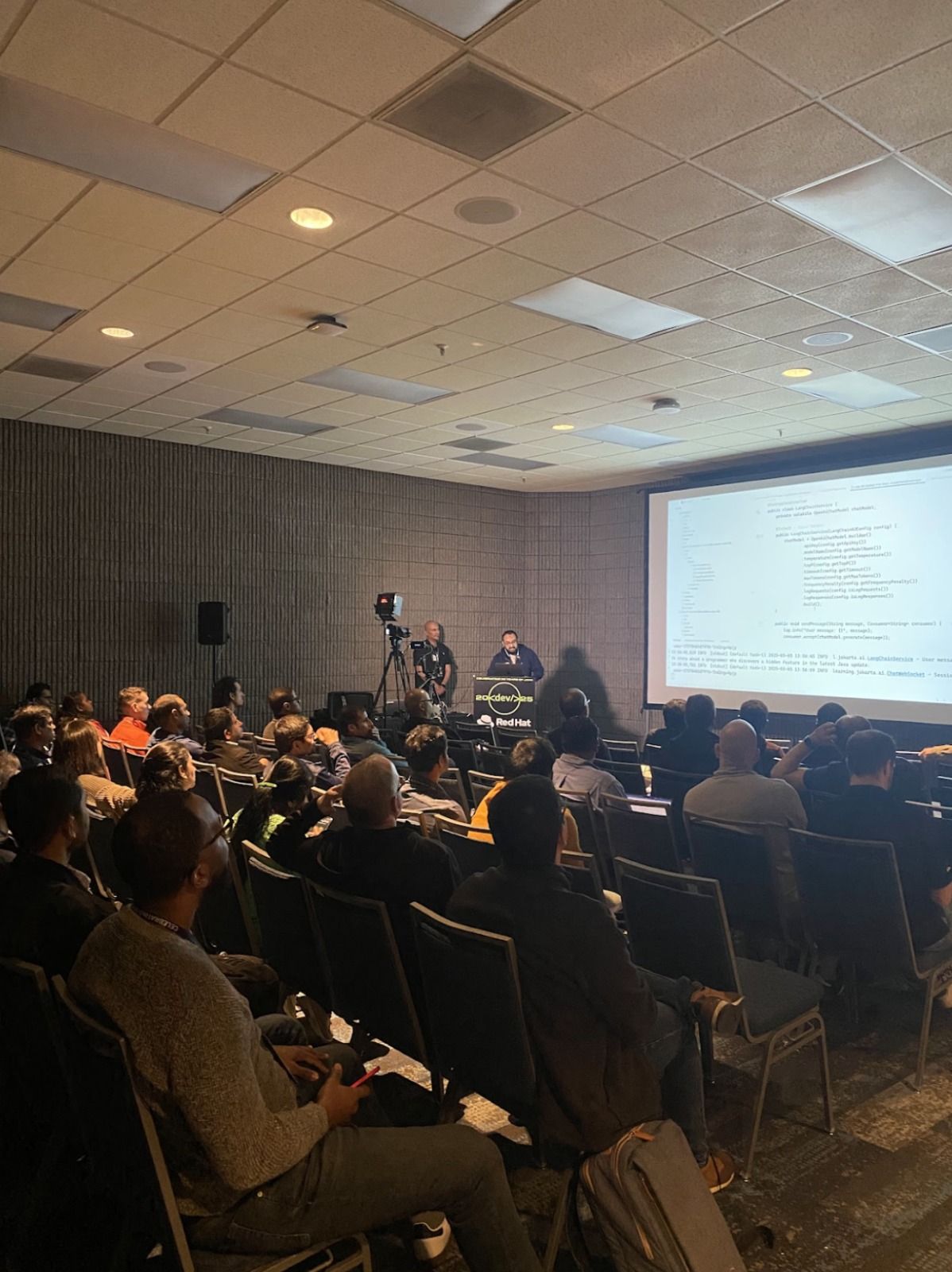
<p>Yesterday I gave a talk titled <strong>“<a href="https://www.youtube.com/watch?v=cJ1odDNflEA&amp;t=9775s">Building LLM Apps in Java with LangChain4j</a>.”</strong> The core idea was simple: building LLM applications is not mainly about writing clever prompts. It is about applying the same engineering discipline we already use in Java systems.</p>

<p>The talk followed the staged evolution of a Spring Boot store assistant. It started with the version many teams build first: a fluent chatbot that sounds convincing but gets important facts wrong. Ask it about an order, a return policy, or shipping rules, and it may confidently invent answers. That is the first lesson of LLM systems: <strong>fluency is not accuracy.</strong></p>

<h2 id="from-guessing-to-grounding">From Guessing to Grounding</h2>

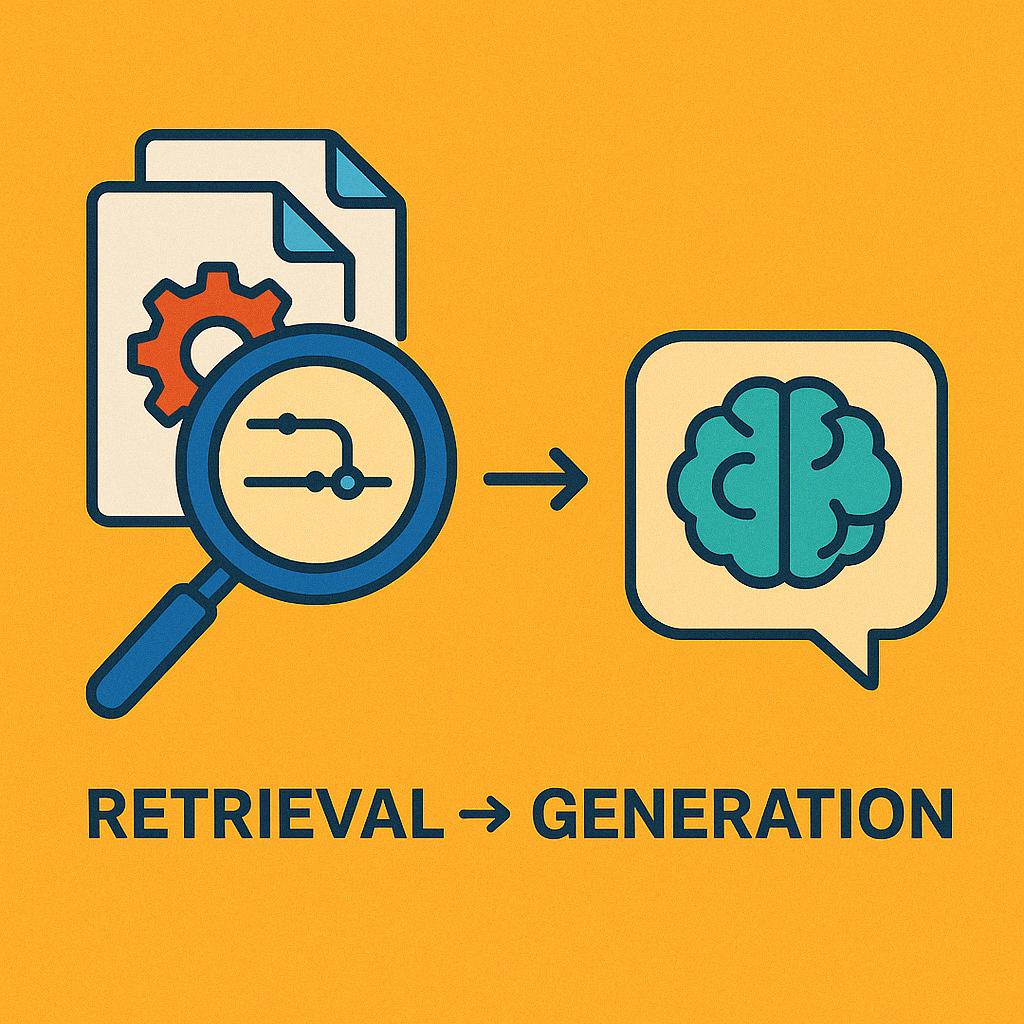
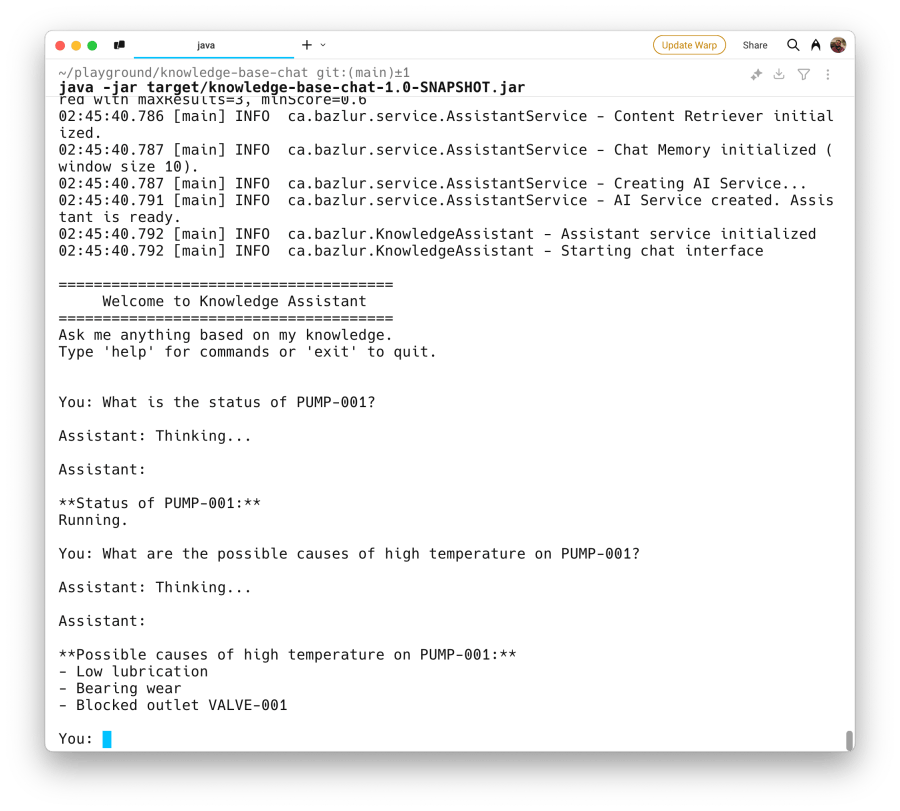
<p>The first real fix is grounding. I showed how Retrieval-Augmented Generation (RAG) moves the assistant from guessing to answering from real business documents. Policies are indexed, relevant chunks are retrieved at request time, and that evidence is injected into the prompt.</p>

<p>Once you see retrieval as a search problem instead of a prompt problem, the architecture becomes much easier to reason about. The model is no longer expected to “know” the business. Instead, the system is responsible for bringing the right evidence into context.</p>

<h2 id="why-retrieval-quality-matters">Why Retrieval Quality Matters</h2>

<p>From there, the talk moved into retrieval quality. Dense vector search is useful for semantic similarity, but it is weak on exact identifiers like SKUs and product codes. That is why hybrid retrieval matters. Combining embeddings with lexical search gives better results in real systems, especially when you add metadata filters like region or tenant.</p>

<p>One of the most important ideas in the presentation was this:</p>
<blockquote>
  <p>If retrieval is wrong, the LLM never had a chance.</p>
</blockquote>

<p>That is also why evaluation matters. In the demo project, retrieval is measured with a golden dataset and an offline evaluation runner. Instead of asking whether the final answer sounds good, we ask whether the retriever brought back the right evidence. This creates a much cleaner and more reliable quality gate, and it fits naturally into CI.</p>

<h2 id="tools-make-the-assistant-useful">Tools Make the Assistant Useful</h2>

<p>Documents can answer policy questions, but they cannot provide live order status, pricing, or inventory. For that, the assistant needs tools connected to real systems of record. LangChain4j makes this natural in Java: the model selects a tool, but Java code still owns execution, validation, and business logic.</p>

<p>That is the point where an assistant starts becoming operationally useful instead of just informative. It stops guessing and starts asking the actual application for live data.</p>

<h2 id="observability-and-guardrails-are-not-optional">Observability and Guardrails Are Not Optional</h2>

<p>Once retrieval and tools are in the loop, observability becomes mandatory. Token usage, latency, retrieval performance, tool calls, logs, metrics, and traces all need to be visible. An LLM application should be treated like any other production service. If it is slow, costly, or wrong, you need to know whether the problem came from retrieval, the model, or a downstream system.</p>

<p>The final part of the talk focused on guardrails and reliability. Prompt injection checks, write-intent gating, output validation, fallback models, and safe refusal paths are not optional extras. They are what make failure predictable and bounded. The goal is not perfection. The goal is to make the system safer, more explainable, and easier to operate.</p>

<h2 id="the-main-takeaway">The Main Takeaway</h2>

<p>My closing argument was the same one I wanted the audience to remember from the start: <strong>your Java skills are your AI skills.</strong> Dependency injection, layered design, testing, observability, validation, and resilience patterns still matter. The model is just one dependency. The real work is everything around it.</p>

<p><img src="/images/screenshot-2026-04-09-at-4.07.38-pm.png" alt="" /></p>

<p>If there is one takeaway from the talk, it is this: the hard part of LLM applications is not calling the model. The hard part is grounding it in the right data, measuring retrieval quality, connecting it safely to real systems, observing its behavior, and constraining how it fails.</p>

<p>Source code: <a href="https://github.com/rokon12/jdconf2026">https://github.com/rokon12/jdconf2026</a></p>

<p>Slides: <a href="https://speakerdeck.com/bazlur_rahman/building-llm-apps-in-java-with-langchain4j">https://speakerdeck.com/bazlur_rahman/building-llm-apps-in-java-with-langchain4j</a></p>

<hr />]]></content><author><name>A N M Bazlur Rahman</name></author><summary type="html"><![CDATA[]]></summary><media:thumbnail xmlns:media="http://search.yahoo.com/mrss/" url="https://bazlur.com/assets/img/default-og.jpg" /><media:content medium="image" url="https://bazlur.com/assets/img/default-og.jpg" xmlns:media="http://search.yahoo.com/mrss/" /></entry><entry><title type="html">AI-Assisted Java Development: An 18-Part Series</title><link href="https://bazlur.com/2026/03/28/ai-assisted-java-development-an-18-part-series/" rel="alternate" type="text/html" title="AI-Assisted Java Development: An 18-Part Series" /><published>2026-03-28T00:00:00+00:00</published><updated>2026-03-28T00:00:00+00:00</updated><id>https://bazlur.com/2026/03/28/aiassisted-java-development-an-18part-series</id><content type="html" xml:base="https://bazlur.com/2026/03/28/ai-assisted-java-development-an-18-part-series/"><![CDATA[<p><img src="/images/gemini-generated-image-o0rbuio0rbuio0rb-scaled.jpg" alt="Diagram showing an AI-assisted development workflow for Java teams" loading="eager" fetchpriority="high" decoding="async" class="load-eager no-blur" /></p>

<p>I’m writing a series on what it actually takes to use AI well in Java development. Not the hype version. The engineering version.</p>

<p>This series covers the full arc: how AI is changing the economics of software work, how it reshapes workflows and prompting, how to design agents and evaluate them properly, and how to build systems that remain reliable and governable. It ends with a question most AI content avoids: where you should deliberately not use it.</p>

<p>One article per week. Here’s the full map.</p>

<h2 id="foundations">Foundations</h2>

<ol>
  <li><a href="https://bazlur.substack.com/p/code-is-cheap-trust-is-expensive" target="_blank" rel="noopener noreferrer">Code Is Cheap. Trust Is Expensive.</a></li>
  <li><a href="https://bazlur.substack.com/p/before-you-ask-ai-to-code-write-a" target="_blank" rel="noopener noreferrer">Before You Ask AI to Code, Write a Better Spec.</a></li>
  <li><a href="https://bazlur.substack.com/p/ai-output-gets-better-when-your-workflow" target="_blank" rel="noopener noreferrer">AI Output Gets Better When Your Workflow Gets Stricter.</a></li>
  <li>Prompting Is Not Talking. It’s Interface Design.</li>
  <li>There Is No Best AI Model, Only Better Workflow Choices.</li>
</ol>

<h2 id="safety-and-review">Safety and Review</h2>

<ol>
  <li>The Biggest Risk With AI Code Is Not Bad Code. It’s Unquestioned Code.</li>
  <li>Good Agent Use Starts With Smaller Tasks, Not Smarter Prompts.</li>
  <li>Self-Correction Only Works When the System Knows When to Stop.</li>
  <li>Agent Orchestration Is Really Workflow Design.</li>
</ol>

<h2 id="evaluation">Evaluation</h2>

<ol>
  <li>Green Checks Do Not Mean AI Code Is Safe.</li>
  <li>AI Systems Are Not Untestable. Your Test Strategy Is Just Too Narrow.</li>
  <li>If You Can’t Measure It, You Don’t Know If Your AI System Improved.</li>
</ol>

<h2 id="building-ai-systems">Building AI Systems</h2>

<ol>
  <li>Good AI Architecture Starts Before You Touch the Model.</li>
  <li>AI Reliability Is Mostly About What Happens When the Model Fails.</li>
  <li>If You Can’t See Your AI Workflow, You Can’t Debug It.</li>
  <li>Governance Is What Prevents AI Workflows From Becoming Expensive Chaos.</li>
  <li>Local Models Aren’t Worse. They’re Better for Different Jobs.</li>
</ol>

<h2 id="closing">Closing</h2>

<ol>
  <li>The Most Important AI Skill Is Knowing Where Not to Use It.</li>
</ol>

<p>This series is for experienced Java developers who are already using AI tools and want to get better without losing engineering discipline.</p>

<p>Each article includes a concrete example, a connection to the Java ecosystem, and a hands-on exercise you can try in your own project.</p>

<hr />]]></content><author><name>A N M Bazlur Rahman</name></author><category term="ai" /><category term="java" /><category term="series" /><category term="ai-assisted-development" /><summary type="html"><![CDATA[An 18-part series on using AI effectively in Java development, covering prompting, workflow design, agents, evaluation, architecture, governance, and where not to use AI.]]></summary><media:thumbnail xmlns:media="http://search.yahoo.com/mrss/" url="https://bazlur.com/images/gemini-generated-image-o0rbuio0rbuio0rb-scaled.jpg" /><media:content medium="image" url="https://bazlur.com/images/gemini-generated-image-o0rbuio0rbuio0rb-scaled.jpg" xmlns:media="http://search.yahoo.com/mrss/" /></entry><entry><title type="html">Structured Concurrency in Java 26: API Polishing, Timeouts, and Better Joiners</title><link href="https://bazlur.com/2026/01/04/structured-concurrency-in-java-26-api-polishing-timeouts-and-better-joiners/" rel="alternate" type="text/html" title="Structured Concurrency in Java 26: API Polishing, Timeouts, and Better Joiners" /><published>2026-01-04T00:00:00+00:00</published><updated>2026-01-04T00:00:00+00:00</updated><id>https://bazlur.com/2026/01/04/structured-concurrency-in-java-26-api-polishing-timeouts-and-better-joiners</id><content type="html" xml:base="https://bazlur.com/2026/01/04/structured-concurrency-in-java-26-api-polishing-timeouts-and-better-joiners/"><![CDATA[<p><img src="/images/chatgpt-image-jan-4-2026-08-08-50-am.png" alt="" /></p>

<h1 id="structured-concurrency-in-java-26-api-polishing-timeouts-and-better-joiners">Structured Concurrency in Java 26: API Polishing, Timeouts, and Better Joiners</h1>

<p>Structured concurrency has reached its sixth preview in Java 26 through <strong>JEP 525</strong>, and at this point, it’s no longer experimental in spirit. The idea is simple and surprisingly powerful: if you start a few related tasks together, you should manage them together. They succeed or fail as a unit.</p>

<p>This sounds obvious, but it’s not how most Java concurrency code works today.</p>

<h2 id="why-unstructured-concurrency-is-a-problem">Why Unstructured Concurrency Is a Problem</h2>

<p>Take a typical <code>ExecutorService</code> example:</p>

<pre><code class="language-java">Response handle() throws ExecutionException, InterruptedException {
    Future&lt;String&gt; user = executor.submit(() -&gt; findUser());
    Future&lt;Integer&gt; order = executor.submit(() -&gt; fetchOrder());

    String theUser = user.get();
    int theOrder = order.get();

    return new Response(theUser, theOrder);
}
</code></pre>

<p>Nothing here looks wrong, yet there are several traps:</p>

<ul>
  <li>If <code>findUser()</code> fails, <code>fetchOrder()</code> keeps running for no reason.</li>
  <li>If the parent thread is interrupted, the subtasks don’t necessarily stop.</li>
  <li>Failures and cancellations don’t line up cleanly. You have to reason about every <code>Future</code> yourself.</li>
</ul>

<p>This is what “unstructured” really means: the lifetime of child tasks is no longer tied to the lifetime of the operation that started them.</p>

<h2 id="what-structured-concurrency-changes">What Structured Concurrency Changes</h2>

<p>Structured concurrency makes the relationship explicit. Tasks are born inside a scope, and they die with that scope.</p>

<pre><code class="language-java">Response handle() throws InterruptedException {
    try (var scope = StructuredTaskScope.open()) {
        var user = scope.fork(() -&gt; findUser());
        var order = scope.fork(() -&gt; fetchOrder());

        scope.join();
        return new Response(user.get(), order.get());
    }
}
</code></pre>

<p>A few important guarantees come with this structure:</p>

<ul>
  <li>The scope does not close until all subtasks are done.</li>
  <li>If one task fails, the others are cancelled automatically.</li>
  <li>Interrupting the parent thread propagates to every subtask.</li>
</ul>

<p>You no longer need to manually stitch together lifecycle, cancellation, and error handling. The structure enforces it.</p>

<h2 id="joiners-expressing-intent-instead-of-plumbing">Joiners: Expressing Intent Instead of Plumbing</h2>

<p>Most concurrent code follows a handful of patterns. JDK 26 bakes those patterns into <strong>joiners</strong>.</p>

<h3 id="all-tasks-must-succeed">All Tasks Must Succeed</h3>

<pre><code class="language-java">try (var scope = StructuredTaskScope.open(
        StructuredTaskScope.Joiner.allSuccessfulOrThrow())) {

    var profile = scope.fork(() -&gt; fetchProfile(id));
    var prefs   = scope.fork(() -&gt; fetchPreferences(id));
    var history = scope.fork(() -&gt; fetchHistory(id));

    List&lt;Object&gt; results = scope.join();
}
</code></pre>

<p>If any task fails, the rest are cancelled and you get a clear failure signal. In Java 26, <code>join()</code> now returns a <code>List</code> instead of a <code>Stream</code>, which is simpler and easier to work with.</p>

<h3 id="first-successful-result-wins">First Successful Result Wins</h3>

<pre><code class="language-java">try (var scope = StructuredTaskScope.open(
        StructuredTaskScope.Joiner.&lt;String&gt;anySuccessfulOrThrow())) {

    scope.fork(() -&gt; fetchFrom("us"));
    scope.fork(() -&gt; fetchFrom("eu"));
    scope.fork(() -&gt; fetchFrom("asia"));

    return scope.join();
}
</code></pre>

<p>This is ideal for racing mirrors or hedging against slow services. As soon as one succeeds, the others are cancelled.</p>

<h2 id="timeouts-and-configuration">Timeouts and Configuration</h2>

<p>Configuration in Java 26 is cleaner and more readable:</p>

<pre><code class="language-java">try (var scope = StructuredTaskScope.open(
        StructuredTaskScope.Joiner.allSuccessfulOrThrow(),
        cfg -&gt; cfg
            .withTimeout(Duration.ofSeconds(5))
            .withName("data-fetch"))) {

    tasks.forEach(scope::fork);
    return scope.join();
}
</code></pre>

<p>The use of <code>UnaryOperator</code> keeps configuration focused and avoids awkward chaining.</p>

<h2 id="custom-joiners-when-you-need-flexibility">Custom Joiners When You Need Flexibility</h2>

<p>If built-in joiners don’t fit, you can write your own. For example, returning partial results on timeout:</p>

<pre><code class="language-java">class PartialResultsJoiner&lt;T&gt;
        implements StructuredTaskScope.Joiner&lt;T, List&lt;T&gt;&gt; {

    private final Queue&lt;T&gt; results = new ConcurrentLinkedQueue&lt;&gt;();

    @Override
    public boolean onComplete(StructuredTaskScope.Subtask&lt;T&gt; subtask) {
        if (subtask.state() == StructuredTaskScope.Subtask.State.SUCCESS) {
            results.add(subtask.get());
        }
        return false;
    }

    @Override
    public void onTimeout() {
        IO.println("Timeout reached");
    }

    @Override
    public List&lt;T&gt; result() {
        return List.copyOf(results);
    }
}
</code></pre>

<p>This gives you control without breaking the structured model.</p>

<h2 id="handling-failures-cleanly">Handling Failures Cleanly</h2>

<p>Structured concurrency also makes failure handling more direct:</p>

<pre><code class="language-java">try (var scope = StructuredTaskScope.open(
        StructuredTaskScope.Joiner.allSuccessfulOrThrow())) {

    scope.fork(this::riskyOperation);
    scope.join();

} catch (StructuredTaskScope.FailedException e) {
    switch (e.getCause()) {
        case IOException ioe -&gt;
            IO.println("Network error: " + ioe.getMessage());
        case TimeoutException te -&gt;
            IO.println("Timed out");
        default -&gt;
            IO.println("Unexpected failure");
    }
} catch (InterruptedException e) {
    Thread.currentThread().interrupt();
}
</code></pre>

<p>You deal with a single failure signal rather than juggling many.</p>

<h2 id="what-changed-in-this-preview">What Changed in This Preview</h2>

<ul>
  <li>Joiners now have an <code>onTimeout()</code> hook.</li>
  <li><code>allSuccessfulOrThrow()</code> returns a <code>List</code>, not a <code>Stream</code>.</li>
  <li>Naming is shorter and more consistent.</li>
  <li>Configuration uses <code>UnaryOperator</code> instead of a generic function.</li>
</ul>

<p>These are small changes, but they smooth out real-world usage.</p>

<h2 id="running-the-preview">Running the Preview</h2>

<pre><code class="language-bash">java --enable-preview MyApp.java
</code></pre>

<h2 id="final-thoughts">Final Thoughts</h2>

<p>Structured concurrency doesn’t make concurrency “easy”, but it does make it honest. The code now reflects the way tasks actually relate to each other. Lifetimes are clear, failures are contained, and cancellation works the way you expect.</p>

<p>At this stage, JEP 525 feels stable enough to use seriously in Java 26 preview builds. If you’ve ever been bitten by runaway tasks or half-failed fan-outs, it’s worth your time.</p>]]></content><author><name>A N M Bazlur Rahman</name></author><summary type="html"><![CDATA[]]></summary><media:thumbnail xmlns:media="http://search.yahoo.com/mrss/" url="https://bazlur.com/assets/img/default-og.jpg" /><media:content medium="image" url="https://bazlur.com/assets/img/default-og.jpg" xmlns:media="http://search.yahoo.com/mrss/" /></entry><entry><title type="html">Zooming In: Profiling Just the Methods You Care About with JFR (JDK 25)</title><link href="https://bazlur.com/2025/12/21/zooming-in-profiling-just-the-methods-you-care-about-with-jfr-jdk-25/" rel="alternate" type="text/html" title="Zooming In: Profiling Just the Methods You Care About with JFR (JDK 25)" /><published>2025-12-21T00:00:00+00:00</published><updated>2025-12-21T00:00:00+00:00</updated><id>https://bazlur.com/2025/12/21/zooming-in-profiling-just-the-methods-you-care-about-with-jfr-jdk-25</id><content type="html" xml:base="https://bazlur.com/2025/12/21/zooming-in-profiling-just-the-methods-you-care-about-with-jfr-jdk-25/"><![CDATA[<p><img src="/images/chatgpt-image-dec-21-2025-05-33-08-am.png" alt="" /></p>

<h1 id="zooming-in-profiling-just-the-methods-you-care-about-with-jfr-jdk-25">Zooming In: Profiling Just the Methods You Care About with JFR (JDK 25)</h1>

<p>Sometimes you don’t want a full JVM profile. You just want to understand a narrow slice of code: which methods are called, how long each call takes, and how time is distributed across a call chain.</p>

<p>With JDK 25, JFR’s <strong>Method Trace</strong> and <strong>Method Timing</strong> events (introduced by JEP 520) make this possible. You can scope profiling to specific classes or methods, capture per-invocation durations with stack traces, and also collect aggregated min, avg, and max timings. No logging. No agents. No bytecode tricks.</p>

<p>This article walks through a minimal, reproducible setup using <strong>programmatic control</strong>, so the recording covers only the code you care about.</p>

<hr />

<h2 id="1-the-code-we-want-to-profile">1) The code we want to profile</h2>

<p>The <code>Sample</code> class is intentionally simple and deterministic. It gives us a clear call chain and predictable timings.</p>

<pre><code>package ca.bazlur;

public class Sample {
  void main() throws Exception {
    Sample s = new Sample();
    s.work();
    Thread.sleep(200); 
  }

  void work() {
    stepA();
    stepB();
  }

  void stepA() {
    busy(50);
  }

  void stepB() {
    busy(120);
  }

  void busy(long millis) {
    long end = System.currentTimeMillis() + millis;
    while (System.currentTimeMillis() &lt; end) {
      // spin
    }
  }
}

</code></pre>

<p>Key properties of this example:</p>

<ul>
  <li>A single flow: <code>main → work → stepA/stepB → busy</code></li>
  <li>Two clearly different execution times</li>
  <li>No I/O or external dependencies</li>
</ul>

<hr />

<h2 id="2-programmatic-jfr-control-with-method-trace-and-method-timing">2) Programmatic JFR control with Method Trace and Method Timing</h2>

<p>Instead of enabling JFR globally, we start and stop it around the exact workload we want to measure.</p>

<pre><code>package ca.bazlur;

import jdk.jfr.Configuration;
import jdk.jfr.Recording;

import java.nio.file.Path;
import java.util.Map;

public class SampleRunner {
  void main() throws Exception {
    try (Recording r = new Recording(Configuration.getConfiguration("profile"))) {
      r.setSettings(Map.of(
          // Aggregated timings
          "jdk.MethodTiming#enabled", "true",
          "jdk.MethodTiming#filter", "ca.bazlur.Sample",
          "jdk.MethodTiming#threshold", "0 ns",
          "jdk.MethodTiming#period", "100 ms",
          // Per-call traces
          "jdk.MethodTrace#enabled", "true",
          "jdk.MethodTrace#filter", "ca.bazlur.Sample",
          "jdk.MethodTrace#stackTrace", "true",
          "jdk.MethodTrace#threshold", "0 ns"
      ));

      r.setDestination(Path.of("sample2.jfr"));
      r.setDumpOnExit(true);
      r.start();

      new Sample().work();
      Thread.sleep(500);

      r.stop();
    }
  }
}
</code></pre>

<p>What this setup does:</p>

<ul>
  <li>Uses the <strong><code>profile</code> configuration</strong> for sensible defaults</li>
  <li>Enables <strong>MethodTrace</strong> for per-invocation timing + stacks</li>
  <li>Enables <strong>MethodTiming</strong> for periodic aggregates</li>
  <li>Filters instrumentation to <code>ca.bazlur.Sample</code></li>
  <li>Keeps the recording short-lived and focused</li>
</ul>

<hr />

<h2 id="3-compile-and-run">3) Compile and run</h2>

<pre><code class="language-bash">javac -d out src/main/java/ca/bazlur/Sample.java \
            src/main/java/ca/bazlur/SampleRunner.java

java -cp out ca.bazlur.SampleRunner
</code></pre>

<p>This produces a recording named <code>sample2.jfr</code>.</p>

<hr />

<h2 id="4-inspect-aggregated-timings">4) Inspect aggregated timings</h2>

<p>Run:</p>

<pre><code class="language-bash">jfr print --events jdk.MethodTiming sample2.jfr
</code></pre>

<p>You’ll see multiple <code>jdk.MethodTiming</code> blocks for the same methods, each with a different <code>startTime</code>. That’s expected.</p>

<h3 id="how-methodtiming-works">How MethodTiming works</h3>

<p><strong>MethodTiming is periodic.</strong></p>

<p>Because we configured:</p>

<pre><code>jdk.MethodTiming#period = 100 ms
</code></pre>

<p>JFR emits one aggregate snapshot per period. Each block answers:</p>
<blockquote>
  <p>“What completed during this 100 ms window?”</p>
</blockquote>

<hr />

<h3 id="reading-the-output">Reading the output</h3>

<p>Example:</p>

<pre><code>jdk.MethodTiming {
  method = ca.bazlur.Sample.work()
  invocations = 1
  average = 170 ms
}
</code></pre>

<p>This means:</p>

<ul>
  <li><code>work()</code> completed once in that period</li>
  <li>The total execution time was ~170 ms</li>
  <li>Min, avg, and max are identical because there was only one call</li>
</ul>

<p>Now look at its children:</p>

<pre><code>method = ca.bazlur.Sample.stepA()  → ~49.6 ms
method = ca.bazlur.Sample.stepB()  → ~120 ms
</code></pre>

<p>Together, they account for almost all of <code>work()</code>’s execution time.</p>

<hr />

<h3 id="why-some-methods-show-invocations--0">Why some methods show <code>invocations = 0</code></h3>

<p>You’ll often see entries like:</p>

<pre><code>method = ca.bazlur.Sample.stepB()
invocations = 0
</code></pre>

<p>This does <strong>not</strong> mean the method wasn’t called.</p>

<p>It means:</p>

<ul>
  <li>The method <strong>did not finish</strong> during that particular 100 ms window</li>
  <li>Its execution either hadn’t started yet or was still in progress</li>
</ul>

<p>Longer-running methods often appear as <code>0</code> in early periods and show up later once they complete.</p>

<hr />

<h3 id="understanding-aggregation-with-busylong">Understanding aggregation with <code>busy(long)</code></h3>

<pre><code>method = ca.bazlur.Sample.busy(long)
invocations = 2
average = 84.8 ms
maximum = 120 ms
</code></pre>

<p>This reflects two completed calls in the same period:</p>

<ul>
  <li><code>busy(50)</code></li>
  <li><code>busy(120)</code></li>
</ul>

<p>The average is the mean of both calls, and the maximum highlights the slower one. This is exactly where MethodTiming is useful: it summarizes behavior without drowning you in per-call detail.</p>

<hr />

<h2 id="5-inspect-per-invocation-traces-and-stacks">5) Inspect per-invocation traces and stacks</h2>

<p>To see individual calls and their call chains:</p>

<pre><code class="language-bash">jfr print --events jdk.MethodTrace --stack-depth 20 sample2.jfr
</code></pre>

<p>Each event represents a <strong>single method invocation</strong>, including:</p>

<ul>
  <li>Exact duration</li>
  <li>Full call stack</li>
  <li>Precise caller-callee relationships</li>
</ul>

<p>This is where you go when you need to answer <em>why</em> something is slow, not just <em>what</em> is slow.</p>

<hr />

<h2 id="6-how-to-use-methodtiming-and-methodtrace-together">6) How to use MethodTiming and MethodTrace together</h2>

<p>A practical workflow:</p>

<ol>
  <li>Start with <strong>MethodTiming</strong>
    <ul>
      <li>Identify slow or suspicious methods</li>
      <li>Understand time distribution across a flow</li>
    </ul>
  </li>
  <li>Switch to <strong>MethodTrace</strong>
    <ul>
      <li>Inspect individual calls</li>
      <li>Examine call stacks and execution paths</li>
    </ul>
  </li>
</ol>

<p>Together, they let you move from:</p>
<blockquote>
  <p>“Something is slow”</p>

  <p>to</p>

  <p>“This exact call is slow, and here’s the stack that caused it.”</p>
</blockquote>

<hr />

<h2 id="7-running-with-jfr-method-trace-and-method-timing-from-the-cli">7) Running with JFR Method Trace and Method Timing from the CLI</h2>

<p>If you don’t want to touch the code at all, JDK 25 lets you enable <strong>Method Trace</strong> and <strong>Method Timing</strong> directly from the command line. This is the fastest way to profile a specific class or method in an existing application.</p>

<p>To trace and time methods in <code>Sample</code> and write a recording:<br />
<code>java -XX:StartFlightRecording=method-trace=Sample,method-timing=Sample,filename=sample.jfr Sample</code></p>

<hr />

<h2 id="why-this-approach-works">Why this approach works</h2>

<ul>
  <li>No agents</li>
  <li>No logging noise</li>
  <li>Works on application and library code</li>
  <li>Precise scope and predictable overhead</li>
</ul>

<p>Instead of profiling the entire JVM and filtering later, you zoom in from the start. Replace <code>ca.bazlur.Sample</code> with your own package, wrap the code path you care about, and inspect the recording with <code>jfr print</code> or Java Mission Control.</p>

<p><br /></p>

<p>Happy tracing.</p>]]></content><author><name>A N M Bazlur Rahman</name></author><summary type="html"><![CDATA[]]></summary><media:thumbnail xmlns:media="http://search.yahoo.com/mrss/" url="https://bazlur.com/assets/img/default-og.jpg" /><media:content medium="image" url="https://bazlur.com/assets/img/default-og.jpg" xmlns:media="http://search.yahoo.com/mrss/" /></entry><entry><title type="html">When Does Java’s Foreign Function &amp;amp; Memory API Actually Make Sense?</title><link href="https://bazlur.com/2025/12/14/when-does-javas-foreign-function-memory-api-actually-make-sense/" rel="alternate" type="text/html" title="When Does Java’s Foreign Function &amp;amp; Memory API Actually Make Sense?" /><published>2025-12-14T00:00:00+00:00</published><updated>2025-12-14T00:00:00+00:00</updated><id>https://bazlur.com/2025/12/14/when-does-javas-foreign-function-memory-api-actually-make-sense</id><content type="html" xml:base="https://bazlur.com/2025/12/14/when-does-javas-foreign-function-memory-api-actually-make-sense/"><![CDATA[<p><img src="/images/gemini-generated-image-rhmn5srhmn5srhmn-scaled.png" alt="" /></p>

<h1 id="when-does-javas-foreign-function--memory-api-actually-make-sense">When Does Java’s Foreign Function \&amp; Memory API Actually Make Sense?</h1>

<p>Every new Java release introduces a shiny feature. The Foreign Function \&amp; Memory (FFM) API, finalized in Java 22, is one of those headline acts: it promises safe native calls without JNI and off-heap memory you can manage. But the real question is not “can I use it?” but “should I reach for it?” The answer depends on what you aim to achieve and how much work you delegate to native code.</p>

<p>This post discusses some experiments I did over the weekend. We’ll start with a brief FFM primer, then examine two benchmarks (though, ideally, we should try JMH, but for simplicity, we won’t do that here) that reveal when FFM performs strongly and when it slows down.</p>

<h2 id="a-quick-primer">A Quick Primer</h2>

<p>FFM gives you three building blocks:</p>

<ul>
  <li>Call native functions from Java without writing JNI glue.</li>
  <li>Manage off-heap memory with bounds checks and automatic cleanup.</li>
  <li>Describe native data layouts so C structs look like Java-accessible memory.</li>
</ul>

<p>Here is an example of working with off-heap memory. Unlike unsafe pointers, FFM provides safety rails. You get automatic deallocation (if desired) and crucial bounds checking, though you still have to manage offsets manually.</p>

<pre><code>import java.lang.foreign.*;

import static java.lang.foreign.ValueLayout.*;

void main() {
  // 1. Allocate off-heap memory for two 64-bit longs (16 bytes total).
  // Using Arena.ofAuto() means the GC handles deallocation implicitly when the segment becomes unreachable.
  MemorySegment segment = Arena.ofAuto().allocate(JAVA_LONG.byteSize() * 2);

  // 2. Manual offset computation is required to access data.
  segment.set(JAVA_LONG, 0, 12345L); // First long at offset 0
  segment.set(JAVA_LONG, 8, 67890L); // Second long at offset 8

  IO.println("Value 1: " + segment.get(JAVA_LONG, 0));

  // 3. FFM enforces bounds safety.
  // The following line throws IndexOutOfBoundsException because offset 16 is outside the 16-byte segment.
  // long whoops = segment.get(JAVA_LONG, 16);
}
</code></pre>

<p>Arena owns the lifetime; MemorySegment owns the bounds; you avoid raw pointers and manual free.</p>

<h3 id="how-calls-happen">How Calls Happen</h3>

<p>Behind the scenes, you describe a native signature with FunctionDescriptor, turn it into a MethodHandle, then invoke it. Think of it as a type-safe bridge:</p>

<pre><code>SymbolLookup stdlib = Linker.nativeLinker().defaultLookup();
MemorySegment strlen = stdlib.find("strlen").orElseThrow();

FunctionDescriptor desc = FunctionDescriptor.of(JAVA_LONG, ADDRESS);

MethodHandle handle = Linker.nativeLinker().downcallHandle(strlen, desc);

try (Arena arena = Arena.ofConfined()) {
    MemorySegment str = arena.allocateFrom("Hello");
    long length = (long) handle.invokeExact(str);
    IO.println(length); // 5
}
</code></pre>

<h2 id="what-ffm-replaces-brittle-jni">What FFM replaces: brittle JNI</h2>

<p>JNI demanded a pile of moving parts:</p>

<ul>
  <li>C headers generated from your Java class (javah, now removed) and a C implementation that must match the mangled names and signatures exactly.</li>
  <li>Manual malloc/free and unchecked pointer arithmetic—one mistake is a JVM crash.</li>
  <li>Build scripts to compile native code per platform, produce .so/.dylib/.dll, ship them, and wrestle with java.library.path.</li>
  <li>No bounds checks, weak type safety, and opaque error messages when signatures drift.</li>
</ul>

<p>By contrast, FFM keeps everything in Java source, enforces layouts and signatures at compile time, and manages lifetimes through arenas. Hence, you get bounds checks and deterministic cleanup without the need for native builds per platform.</p>

<h2 id="jextract-skip-the-boilerplate"><a href="https://github.com/openjdk/jextract">jextract</a>: skip the boilerplate</h2>

<p>Writing these descriptors by hand gets old fast. jextract reads C headers and spits out Java classes you can call like normal methods.</p>

<p>Example: generating bindings for qsort from stdlib.h:</p>

<pre><code>SDK="$(xcrun --sdk macosx --show-sdk-path)"

jextract \
  --output src/generated \
  --target-package org.stdlib \
  -l :/usr/lib/libSystem.B.dylib \
  -I "$SDK/usr/include" \
  "$SDK/usr/include/stdlib.h"
</code></pre>

<p>That produces src/generated/org/stdlib/stdlib_h.java with a qsort method you can invoke directly, no manual FunctionDescriptor necessary.</p>

<pre><code>import static org.stdlib.stdlib_h.*;
import java.lang.foreign.*;
import java.lang.invoke.*;

static int compare(MemorySegment a, MemorySegment b) {
    int x = a.reinterpret(C_INT.byteSize()).get(C_INT, 0);
    int y = b.reinterpret(C_INT.byteSize()).get(C_INT, 0);
    return Integer.compare(x, y);
}

void main() throws Throwable {

    MethodHandle comparator = MethodHandles.lookup().findStatic(
        this.getClass(), "compare",
        MethodType.methodType(int.class, MemorySegment.class, MemorySegment.class)
    );

    try (Arena arena = Arena.ofConfined()) {
        MemorySegment array = arena.allocateFrom(C_INT, 5, 2, 8, 1, 9);

        FunctionDescriptor comparDesc = FunctionDescriptor.of(
            ValueLayout.JAVA_INT, ValueLayout.ADDRESS, ValueLayout.ADDRESS);

        MemorySegment comparFunc = Linker.nativeLinker()
            .upcallStub(comparator, comparDesc, arena);

        qsort(array, 5, C_INT.byteSize(), comparFunc);

        IO.println(Arrays.toString(array.toArray(ValueLayout.JAVA_INT)));
    }
}
</code></pre>

<p>With the plumbing out of the way, let’s see where performance lands.</p>

<p><strong>NOTE:</strong> If you want to know more about jextract, there are plenty of example codes here: <a href="https://github.com/openjdk/jextract/tree/master/samples">https://github.com/openjdk/jextract/tree/master/samples</a></p>

<h2 id="benchmark-1-sorting-ffm-loses-badly">Benchmark 1: Sorting (FFM loses badly)</h2>

<p>Experiment: sort 10 million integers with Java’s Arrays.sort() vs C’s qsort() through FFM (using the generated binding above).</p>

<table>
  <thead>
    <tr>
      <th><strong>Method</strong></th>
      <th><strong>Time</strong></th>
    </tr>
  </thead>
  <tbody>
    <tr>
      <td>Java Arrays.sort()</td>
      <td>686 ms</td>
    </tr>
    <tr>
      <td>Native qsort (FFM)</td>
      <td>16,965 ms</td>
    </tr>
  </tbody>
</table>

<p>qsort needs a comparator. Every comparison hops Java → native → Java. At ~10-50 ns per hop, multiplied by hundreds of millions of comparisons, the boundary crossings drown the benefit of native code. Java’s in-VM dual-pivot quicksort never leaves the JVM and wins by 25x.</p>

<p><strong>Takeaway:</strong> FFM plus frequent callbacks is a performance anti-pattern.</p>

<h3 id="but-what-if-we-keep-the-comparator-native">But what if we keep the comparator native?</h3>

<p>The slow path was: <strong>Java → qsort → Java comparator → qsort → Java comparator → … (millions of times)</strong></p>

<p>We can eliminate the callbacks by writing the comparator in C and keeping the entire sort native:</p>

<pre><code>// int_compare.c
#include &lt;stdlib.h&gt;

int int_compare(const void *a, const void *b) {
    return (*(int*)a - *(int*)b);
}
</code></pre>

<p>Compile it as a shared library:</p>

<pre><code># macOS
clang -shared -o libintcmp.dylib int_compare.c
</code></pre>

<p>For Linux:</p>

<pre><code># Linux
gcc -shared -fPIC -o libintcmp.so int_compare.c
</code></pre>

<p>Now use FFM to get the native function pointer and pass it directly to qsort:</p>

<pre><code>void main() throws Throwable {

    // Load our native comparator library
    SymbolLookup myLib = SymbolLookup.libraryLookup("libintcmp.dylib", Arena.global());

    MemorySegment nativeComparator = myLib.find("int_compare").orElseThrow();

    // Load qsort from stdlib

    SymbolLookup stdlib = Linker.nativeLinker().defaultLookup();

    MethodHandle qsort = Linker.nativeLinker().downcallHandle(
        stdlib.find("qsort").orElseThrow(),
        FunctionDescriptor.ofVoid(ADDRESS, JAVA_LONG, JAVA_LONG, ADDRESS)
    );

    try (Arena arena = Arena.ofConfined()) {
        int[] data = generateRandomArray(10_000_000);
        MemorySegment nativeArray = arena.allocateFrom(JAVA_INT, data);

        // Sort entirely in native code - no Java callbacks!
        qsort.invokeExact(nativeArray, (long) data.length, (long) JAVA_INT.byteSize(), nativeComparator);
        int[] sorted = nativeArray.toArray(JAVA_INT);
    }
}
</code></pre>

<p>The flow becomes: <strong>Java → qsort (uses native comparator, all comparisons stay native) → Java</strong></p>

<p><strong>Expected result:</strong> Native qsort with a native comparator would be competitive with Java’s Arrays.sort(). The overhead disappears because comparisons never cross the boundary.</p>

<p><strong>The lesson:</strong> It’s not that qsort is slow—it’s that <em>upcalls</em> are slow. Keep the hot path on one side of the fence.</p>

<h2 id="benchmark-2-matrix-multiplication-ffm-runs-away-with-it">Benchmark 2: Matrix Multiplication (FFM runs away with it)</h2>

<p>Experiment: multiply two 1024×1024 matrices—over 2 billion floating-point operations.</p>

<table>
  <thead>
    <tr>
      <th><strong>Method</strong></th>
      <th><strong>Time</strong></th>
      <th><strong>Speedup</strong></th>
    </tr>
  </thead>
  <tbody>
    <tr>
      <td>Pure Java (naive)</td>
      <td>1,978 ms</td>
      <td>1x</td>
    </tr>
    <tr>
      <td>EJML (optimized Java)</td>
      <td>353 ms</td>
      <td>5.6x</td>
    </tr>
    <tr>
      <td>Native BLAS via FFM</td>
      <td>9 ms</td>
      <td>220x</td>
    </tr>
  </tbody>
</table>

<p><br /></p>

<p>This time, the native call does all the work in one shot: Java → native (SIMD, cache-aware blocking, multi-threaded) → Java. One crossing, massive payoff.</p>

<p>Apple’s Accelerate BLAS on Apple Silicon vectorizes aggressively, tiles for cache, and fans out across performance cores; the JVM does not ship a comparable, hardware-tuned BLAS in the standard library.</p>

<p>The more work you pack into that single trip, billions of floating-point operations, the more the boundary cost dissolves into noise.</p>

<p><strong>Takeaway:</strong> FFM shines when a single native call does a mountain of work.</p>

<h3 id="the-benchmark-code">The benchmark code</h3>

<p>The benchmark below compares:</p>

<ul>
  <li>A naive pure-Java triple loop.</li>
  <li>EJML (a pure-Java linear algebra library we depend on via org.ejml:ejml-all).</li>
  <li>Native BLAS (cblas_dgemm from Apple’s Accelerate framework) through FFM.</li>
</ul>

<pre><code>package ca.bazlur.ffm;

import org.ejml.dense.row.CommonOps_DDRM;
import org.ejml.data.DMatrixRMaj;
import java.lang.foreign.*;
import java.lang.invoke.MethodHandle;
import java.time.Duration;
import java.time.Instant;
import java.util.Random;
import static java.lang.foreign.ValueLayout.*;

public final class MatrixBenchmark {
    static final int CblasRowMajor = 101;
    static final int CblasNoTrans = 111;
    static final int MATRIX_SIZE = 1024;
    static final int WARMUP_RUNS = 2;
    static final int BENCHMARK_RUNS = 5;
    static final MethodHandle cblas_dgemm;

    static {
        try {
            SymbolLookup accelerate = SymbolLookup.libraryLookup(
              "/System/Library/Frameworks/Accelerate.framework/Versions/A/Accelerate",
                Arena.global()
            );

            FunctionDescriptor descriptor = FunctionDescriptor.ofVoid(
                JAVA_INT, JAVA_INT, JAVA_INT, JAVA_INT, JAVA_INT, JAVA_INT,
                JAVA_DOUBLE, ADDRESS, JAVA_INT, ADDRESS, JAVA_INT,
                JAVA_DOUBLE, ADDRESS, JAVA_INT
            );

            cblas_dgemm = Linker.nativeLinker().downcallHandle(
                accelerate.find("cblas_dgemm").orElseThrow(),
                descriptor
            );
        } catch (Exception e) {
            throw new RuntimeException("Failed to load BLAS", e);
        }
    }

    void main() throws Throwable {

        double[] A = generateMatrix(MATRIX_SIZE);
        double[] B = generateMatrix(MATRIX_SIZE);
        DMatrixRMaj ejmlA = new DMatrixRMaj(MATRIX_SIZE, MATRIX_SIZE, true, A);
        DMatrixRMaj ejmlB = new DMatrixRMaj(MATRIX_SIZE, MATRIX_SIZE, true, B);
        warmup(A, B, ejmlA, ejmlB);

        benchmarkJava(A, B);
        benchmarkEJML(ejmlA, ejmlB);
        benchmarkBLAS(A, B);
    }

    // Pure Java

    double[] multiplyJava(double[] A, double[] B, int n) {
        double[] C = new double[n * n];

        for (int i = 0; i &lt; n; i++) {
            for (int j = 0; j &lt; n; j++) {
                double sum = 0.0;
                for (int k = 0; k &lt; n; k++) {
                    sum += A[i * n + k] * B[k * n + j];
                }

                C[i * n + j] = sum;
            }
        }

        return C;
    }

    // EJML

    DMatrixRMaj multiplyEJML(DMatrixRMaj A, DMatrixRMaj B) {
        DMatrixRMaj C = new DMatrixRMaj(A.numRows, B.numCols);
        CommonOps_DDRM.mult(A, B, C);
        return C;
    }

    // Native BLAS via FFM

    double[] multiplyBLAS(double[] A, double[] B, int n) throws Throwable {
        try (Arena arena = Arena.ofConfined()) {
            MemorySegment nativeA = arena.allocateFrom(JAVA_DOUBLE, A);
            MemorySegment nativeB = arena.allocateFrom(JAVA_DOUBLE, B);
            MemorySegment nativeC = arena.allocate(JAVA_DOUBLE, n * n);

            cblas_dgemm.invokeExact(
                CblasRowMajor, CblasNoTrans, CblasNoTrans,
                n, n, n, 1.0,
                nativeA, n,
                nativeB, n,
                0.0,
                nativeC, n
            );

            return nativeC.toArray(JAVA_DOUBLE);
        }
    }

    // Helper methods (warmup, benchmarking harness, checksum, etc.) are in the source.

}
</code></pre>

<p>Notes on the setup:</p>

<ul>
  <li><strong>EJML</strong> (ejml-all): provides a tuned pure-Java baseline that closes much of the gap without leaving the JVM.</li>
  <li><strong>Apple Accelerate BLAS</strong> : we load cblas_dgemm directly from the system framework on macOS; on other platforms, point the lookup to your BLAS library (e.g., OpenBLAS, Intel MKL).
    <ul>
      <li>Linux hint: install OpenBLAS (libopenblas-dev on Debian/Ubuntu) and lookup cblas_dgemm from /usr/lib/x86_64-linux-gnu/libopenblas.so (path may vary by distro).</li>
      <li>Windows hint: use a prebuilt OpenBLAS/MKL DLL, ensure it is on PATH, and lookup cblas_dgemm by passing the DLL name (e.g., “libopenblas.dll” or “mkl_rt.dll”) to libraryLookup.</li>
    </ul>
  </li>
</ul>

<h2 id="when-to-reach-for-ffm">When to reach for FFM</h2>

<ul>
  <li>You need existing native libraries: OpenSSL/libsodium (crypto), zlib/lz4/zstd (compression), libpng/libjpeg/ImageMagick (images), TensorFlow/ONNX Runtime (ML), BLAS/LAPACK/MKL (linear algebra), SQLite/RocksDB (storage).</li>
  <li>One call does massive work: matrix math, bulk encryption/decryption, image encode/decode, and compression of big buffers.</li>
  <li>Off-heap memory matters: large caches to spare the GC, memory-mapped files, shared memory, low-latency systems.</li>
  <li>System-level hooks: hardware access, OS features absent in Java, and integrating with C/C++ systems.</li>
</ul>

<h2 id="when-to-stay-in-pure-java">When to stay in pure Java</h2>

<ul>
  <li>Anything with frequent callbacks into Java: custom comparators, filters, event-driven native APIs.</li>
  <li>Domains where the JVM already excels: strings, collections, JSON/XML parsing, general-purpose computation.</li>
  <li>Tiny, chatty operations: lots of small allocations or single-value lookups.</li>
  <li>A solid Java library already exists: EJML/ojAlgo for most linear algebra needs, Bouncy Castle for most crypto.</li>
</ul>

<h2 id="a-simple-decision-sketch">A simple decision sketch</h2>

<pre><code>Need a native library?  
├── No → Stay in Java.
  └── Yes → Will one call do bulk work or manage big off-heap data?
        ├── Yes → Use FFM.
        └── No  → Reconsider; overhead may hurt more than it helps.
</code></pre>

<h2 id="wrapping-up">Wrapping up</h2>

<p>FFM is not a magic speed pill. It is a bridge:</p>

<ol>
  <li><strong>Access</strong> to native libraries that Java does not offer.</li>
  <li><strong>Bulk work</strong> in a single call to amortize boundary cost.</li>
  <li><strong>Memory control</strong> when the GC would otherwise interfere.</li>
</ol>

<p><strong>The rule of thumb is simple:</strong> minimize boundary crossings, maximize work per crossing. If you can keep the heavy lifting on one side of the bridge, FFM earns its keep; if the work ping-pongs back and forth, pure Java likely wins on both speed and simplicity.</p>]]></content><author><name>A N M Bazlur Rahman</name></author><summary type="html"><![CDATA[]]></summary><media:thumbnail xmlns:media="http://search.yahoo.com/mrss/" url="https://bazlur.com/assets/img/default-og.jpg" /><media:content medium="image" url="https://bazlur.com/assets/img/default-og.jpg" xmlns:media="http://search.yahoo.com/mrss/" /></entry><entry><title type="html">Building Robust AI Applications with LangChain4j Guardrails and Spring Boot</title><link href="https://bazlur.com/2025/06/21/building-robust-ai-applications-with-langchain4j-guardrails-and-spring-boot/" rel="alternate" type="text/html" title="Building Robust AI Applications with LangChain4j Guardrails and Spring Boot" /><published>2025-06-21T00:00:00+00:00</published><updated>2025-06-21T00:00:00+00:00</updated><id>https://bazlur.com/2025/06/21/building-robust-ai-applications-with-langchain4j-guardrails-and-spring-boot</id><content type="html" xml:base="https://bazlur.com/2025/06/21/building-robust-ai-applications-with-langchain4j-guardrails-and-spring-boot/"><![CDATA[<p><img src="/images/u6131494527-1.-shield-ai-brain-concept-a-modern-minimalist-c6366e07-45bb-4d60-8f31-a4380e8e1bd8-0.png" alt="" /></p>

<h1 id="building-robust-ai-applications-with-langchain4j-guardrails-and-spring-boot">Building Robust AI Applications with LangChain4j Guardrails and Spring Boot</h1>

<p>As AI applications become increasingly complex, ensuring that language models behave predictably and safely is paramount. LangChain4j’s guardrails feature provides a powerful framework for validating both the inputs and outputs of your AI services. This article demonstrates how to implement comprehensive guardrails in a Spring Boot application, with practical examples that you can adapt to your use cases.</p>
<blockquote>
  <p>📦 <strong>Complete source code available at</strong> : <a href="https://github.com/rokon12/guardrails-demo">github.com/rokon12/guardrails-demo</a></p>
</blockquote>

<h2 id="understanding-langchain4j-guardrails">Understanding LangChain4j Guardrails</h2>

<p>In LangChain4j, guardrails are validation mechanisms that operate exclusively on AI Services, the framework’s high-level abstraction for interacting with language models. Unlike simple validators, guardrails provide sophisticated control over the entire AI interaction lifecycle.</p>

<ol>
  <li><strong>Input Guardrails</strong> : Act as gatekeepers, validating user input before it reaches the LLM
    <ol>
      <li>Prevent prompt injection attacks</li>
      <li>Filter inappropriate content</li>
      <li>Enforce business rules</li>
      <li>Sanitize and normalize input</li>
    </ol>
  </li>
  <li><strong>Output Guardrails</strong> : Act as quality controllers, validating and potentially correcting LLM responses
    <ol>
      <li>Ensure a professional tone</li>
      <li>Detect hallucinations</li>
      <li>Validate response format</li>
      <li>Enforce compliance requirements</li>
    </ol>
  </li>
</ol>

<p>This dual-layer approach ensures that your AI applications remain safe, compliant, and aligned with business requirements.</p>

<h2 id="setting-up-a-spring-boot-project-with-langchain4j">Setting Up a Spring Boot Project with LangChain4j</h2>

<p>Let’s start by creating a Spring Boot application with the necessary dependencies. You can use <a href="https://start.spring.io/">Spring Initializr</a> to bootstrap your project or create it directly in your IDE (IntelliJ IDEA, Eclipse, or VS Code).</p>
<blockquote>
  <p>🚀 <strong>Quick Start with Spring Initializr:</strong></p>

  <ol>
    <li>Go to <a href="https://start.spring.io/">start.spring.io</a></li>
    <li>Choose: Maven/Gradle, Java 21+, Spring Boot 3.x</li>
    <li>Add dependencies: Spring Web</li>
    <li>Generate and import into your IDE</li>
    <li>Add LangChain4j dependencies manually to your <code>pom.xml</code> or <code>build.gradle</code></li>
  </ol>
</blockquote>

<pre><code class="language-java">&lt;dependencies&gt;
    &lt;!-- Spring Boot Essentials --&gt;
    &lt;dependency&gt;
        &lt;groupId&gt;org.springframework.boot&lt;/groupId&gt;
        &lt;artifactId&gt;spring-boot-starter-web&lt;/artifactId&gt;
    &lt;/dependency&gt;
    
    &lt;dependency&gt;
        &lt;groupId&gt;org.springframework.boot&lt;/groupId&gt;
        &lt;artifactId&gt;spring-boot-starter-validation&lt;/artifactId&gt;
    &lt;/dependency&gt;
    
    &lt;!-- LangChain4j Core --&gt;
    &lt;dependency&gt;
        &lt;groupId&gt;dev.langchain4j&lt;/groupId&gt;
        &lt;artifactId&gt;langchain4j&lt;/artifactId&gt;
        &lt;version&gt;1.1.0&lt;/version&gt; &lt;!-- ⚠️ Always check for the latest stable version --&gt;
    &lt;/dependency&gt;
    
    &lt;!-- LangChain4j OpenAI Integration --&gt;
    &lt;dependency&gt;
        &lt;groupId&gt;dev.langchain4j&lt;/groupId&gt;
        &lt;artifactId&gt;langchain4j-open-ai&lt;/artifactId&gt;
        &lt;version&gt;1.1.0&lt;/version&gt;
    &lt;/dependency&gt;
    
    &lt;!-- Testing Support --&gt;
    &lt;dependency&gt;
        &lt;groupId&gt;dev.langchain4j&lt;/groupId&gt;
        &lt;artifactId&gt;langchain4j-test&lt;/artifactId&gt;
        &lt;version&gt;1.1.0&lt;/version&gt;
        &lt;scope&gt;test&lt;/scope&gt; &lt;!-- 💡 Keep test dependencies scoped appropriately --&gt;
    &lt;/dependency&gt;
    
    &lt;!-- Metrics and Monitoring --&gt;
    &lt;dependency&gt;
        &lt;groupId&gt;org.springframework.boot&lt;/groupId&gt;
        &lt;artifactId&gt;spring-boot-starter-actuator&lt;/artifactId&gt;
    &lt;/dependency&gt;
&lt;/dependencies&gt;
</code></pre>

<p>Configure your application:</p>

<pre><code class="language-java"># application.yml
langchain4j:
  open-ai:
    chat-model:
      api-key: ${OPENAI_API_KEY} # 🔐 NEVER hardcode API keys - use environment variables
      model-name: gpt-4 # 💡 Consider cost vs performance when choosing models
      temperature: 0.7 # 🎲 Balance between creativity (1.0) and consistency (0.0)
      max-tokens: 1000 # 💰 Control costs by limiting response length
      timeout: 30s # ⏱️ Prevent hanging requests
      log-requests: true # 🔍 Enable for debugging, disable in production for performance
      log-responses: true

# Application-specific settings
app:
  guardrails:
    input:
      max-length: 1000 # 📏 Prevent resource exhaustion from large inputs
      rate-limit:
        enabled: true
        max-requests-per-minute: 10 # 🛡️ Protect against abuse and control costs
    output:
      max-retries: 3 # 🔄 Balance between reliability and latency

</code></pre>

<h2 id="implementing-input-guardrails">Implementing Input Guardrails</h2>

<p>Input guardrails shield your application from malicious, inappropriate, or out-of-scope user inputs. Here are several practical examples.</p>

<h3 id="content-safety-input-guardrail">Content Safety Input Guardrail</h3>

<pre><code class="language-java">@Component
public class ContentSafetyInputGuardrail implements InputGuardrail {

    // 🚫 Customize this list based on your application's domain and risk profile
    private static final List&lt;String&gt; PROHIBITED_WORDS = List.of(
            "hack", "exploit", "bypass", "illegal", "fraud", "crack", "breach",
            "penetrate", "malware", "virus", "trojan", "backdoor", "phishing",
            "spam", "scam", "steal", "theft", "identity", "password", "credential"
    );

    // 🎭 Detect obfuscated threats using regex patterns
    private static final List&lt;Pattern&gt; THREAT_PATTERNS = List.of(
            Pattern.compile("h[4@]ck", Pattern.CASE_INSENSITIVE), // Catches "h4ck", "h@ck"
            Pattern.compile("cr[4@]ck", Pattern.CASE_INSENSITIVE),
            Pattern.compile("expl[0o]it", Pattern.CASE_INSENSITIVE),
            Pattern.compile("byp[4@]ss", Pattern.CASE_INSENSITIVE),
            // 🎯 This pattern catches instruction-style prompts for malicious activities
            Pattern.compile("[\\w\\s]*(?:how\\s+to|teach\\s+me|show\\s+me)\\s+(?:hack|exploit|bypass)", Pattern.CASE_INSENSITIVE)
    );

    @Override
    public InputGuardrailResult validate(UserMessage userMessage) {
        String originalText = userMessage.singleText();
        String text = originalText.toLowerCase();

        // 📏 Length validation should be your first check for performance
        if (originalText.length() &gt; 1000) {
            return failure("Your message is too long. Please keep it under 1000 characters.");
        }

        // 🔍 Check for prohibited words
        for (String word : PROHIBITED_WORDS) {
            if (text.contains(word)) {
                // ⚠️ Be careful not to reveal too much about your security measures
                return failure("Your message contains prohibited content related to security threats.");
            }
        }
        
        // 🎭 Check for obfuscated patterns
        for (Pattern pattern : THREAT_PATTERNS) {
            if (pattern.matcher(originalText).find()) {
                return failure("Your message contains potentially harmful content patterns.");
            }
        }

        return success();
    }
}
</code></pre>

<h3 id="smart-context-aware-guardrail"><strong>Smart Context-Aware Guardrail</strong></h3>

<p>This guardrail uses conversation history to make intelligent decisions:</p>

<pre><code class="language-java">@Component
@Slf4j
public class ContextAwareInputGuardrail implements InputGuardrail {
    
    private static final int MAX_SIMILAR_QUESTIONS = 3;
    private static final double SIMILARITY_THRESHOLD = 0.8; // 📊 Adjust based on your tolerance
    
    @Override
    public InputGuardrailResult validate(InputGuardrailRequest request) {
        ChatMemory memory = request.memory();
        UserMessage currentMessage = request.userMessage();
        
        // 💡 Always handle null cases gracefully
        if (memory == null || memory.messages().isEmpty()) {
            return success();
        }
        
        // Check for repetitive questions
        List&lt;String&gt; previousQuestions = extractUserQuestions(memory);
        String currentQuestion = currentMessage.singleText();
        
        long similarQuestions = previousQuestions.stream()
            .filter(q -&gt; calculateSimilarity(q, currentQuestion) &gt; SIMILARITY_THRESHOLD)
            .count();
        
        if (similarQuestions &gt;= MAX_SIMILAR_QUESTIONS) {
            // 📝 Log suspicious behavior for security monitoring
            log.info("User asking repetitive questions: {}", currentQuestion);
            return failure("You've asked similar questions multiple times. Please try a different topic or rephrase your question.");
        }
        
        // Check conversation velocity (potential abuse)
        if (isConversationTooFast(memory)) {
            return failure("Please slow down. You're sending messages too quickly.");
        }
        
        return success();
    }
    
    private List&lt;String&gt; extractUserQuestions(ChatMemory memory) {
        return memory.messages().stream()
            .filter(msg -&gt; msg instanceof UserMessage) // 🎯 Type-safe filtering
            .map(ChatMessage::text)
            .collect(Collectors.toList());
    }
    
    private double calculateSimilarity(String s1, String s2) {
        // 🧮 Simple Jaccard similarity - in production, use more sophisticated methods
        // Consider: Levenshtein distance, cosine similarity, or semantic embeddings
        Set&lt;String&gt; set1 = new HashSet&lt;&gt;(Arrays.asList(s1.toLowerCase().split("\\s+")));
        Set&lt;String&gt; set2 = new HashSet&lt;&gt;(Arrays.asList(s2.toLowerCase().split("\\s+")));
        
        Set&lt;String&gt; intersection = new HashSet&lt;&gt;(set1);
        intersection.retainAll(set2);
        
        Set&lt;String&gt; union = new HashSet&lt;&gt;(set1);
        union.addAll(set2);
        
        return union.isEmpty() ? 0 : (double) intersection.size() / union.size();
    }
    
    private boolean isConversationTooFast(ChatMemory memory) {
        // ⏱️ TODO: Implement timestamp checking
        // Check if user is sending messages too quickly (potential spam)
        List&lt;ChatMessage&gt; recentMessages = memory.messages();
        if (recentMessages.size() &lt; 5) return false;
        
        // In a real implementation, you'd check timestamps
        // This is a simplified example
        return false;
    }
}
</code></pre>

<h3 id="intelligent-input-sanitizer"><strong>Intelligent Input Sanitizer</strong></h3>

<p>This guardrail not only validates but also improves input quality:</p>

<pre><code class="language-java">@Component
public class IntelligentInputSanitizerGuardrail implements InputGuardrail {
    
    // 🌐 Comprehensive URL pattern that handles most common URL formats
    private static final Pattern URL_PATTERN = Pattern.compile(
        "https?://[\\w\\-._~:/?#\\[\\]@!$&amp;'()*+,;=.]+", 
        Pattern.CASE_INSENSITIVE
    );
    
    // 📧 Standard email pattern - consider RFC 5322 for stricter validation
    private static final Pattern EMAIL_PATTERN = Pattern.compile(
        "[a-zA-Z0-9._%+-]+@[a-zA-Z0-9.-]+\\.[a-zA-Z]{2,}", 
        Pattern.CASE_INSENSITIVE
    );

    @Override
    public InputGuardrailResult validate(UserMessage userMessage) {
        String text = userMessage.singleText();
        
        // 🔒 Remove potential PII for privacy compliance (GDPR, CCPA)
        text = EMAIL_PATTERN.matcher(text).replaceAll("[EMAIL_REDACTED]");
        
        // 🔗 Clean URLs but keep them for context
        text = URL_PATTERN.matcher(text).replaceAll("[URL]");
        
        // 📝 Normalize whitespace for consistent processing
        text = text.replaceAll("\\s+", " ").trim();
        
        // 🛡️ Remove potentially harmful characters while preserving meaning
        // These characters could be used for injection attacks
        text = text.replaceAll("[&lt;&gt;{}\\[\\]|\\\\]", "");
        
        // ✂️ Smart truncation that preserves sentence structure
        if (text.length() &gt; 500) {
            text = smartTruncate(text, 500);
        }
        
        // 🔤 Fix common typos and normalize
        text = normalizeText(text);
        
        // ✅ Return the sanitized text, not just validation result
        return successWith(text);
    }
    
    private String smartTruncate(String text, int maxLength) {
        if (text.length() &lt;= maxLength) return text;
        
        // 📍 Try to cut at sentence boundary for better readability
        int lastPeriod = text.lastIndexOf('.', maxLength);
        if (lastPeriod &gt; maxLength * 0.8) { // 80% threshold ensures we don't cut too early
            return text.substring(0, lastPeriod + 1);
        }
        
        // 🔤 Otherwise, cut at word boundary
        int lastSpace = text.lastIndexOf(' ', maxLength);
        if (lastSpace &gt; maxLength * 0.8) {
            return text.substring(0, lastSpace) + "...";
        }
        
        // ✂️ Last resort: hard cut
        return text.substring(0, maxLength - 3) + "...";
    }
    
    private String normalizeText(String text) {
        // 🔧 Fix common issues
        text = text.replaceAll("\\bi\\s", "I ");  // i -&gt; I
        text = text.replaceAll("\\s+([.,!?])", "$1");  // Remove space before punctuation
        text = text.replaceAll("([.,!?])(\\w)", "$1 $2");  // Add space after punctuation
        
        return text;
    }
}
</code></pre>

<blockquote>
  <p><strong>ProTip:</strong> Input sanitizers should be the last guardrail in your input chain. They clean and normalize input after all validation checks have passed.</p>
</blockquote>

<h2 id="implementing-output-guardrails">Implementing Output Guardrails</h2>

<p>Output guardrails ensure that LLM responses meet your quality standards and business requirements.</p>

<h3 id="professional-tone-output-guardrail">Professional Tone Output Guardrail</h3>

<pre><code class="language-java">@Component
public class ProfessionalToneOutputGuardrail implements OutputGuardrail {

    // 🚫 Phrases that damage professional credibility
    private static final List&lt;String&gt; UNPROFESSIONAL_PHRASES = List.of(
            "that's weird", "that's dumb", "whatever", "i don't know"
    );

    // ✨ Elements that enhance professional communication
    private static final List&lt;String&gt; REQUIRED_ELEMENTS = List.of(
            "thank you",
            "please",
            "happy to help"
    );

    @Override
    public OutputGuardrailResult validate(AiMessage responseFromLLM) {
        String text = responseFromLLM.text().toLowerCase();

        // 🔍 Check for unprofessional language
        for (String unprofessionalPhrase : UNPROFESSIONAL_PHRASES) {
            if (text.contains(unprofessionalPhrase)) {
                // 🔄 Request reprompting with specific guidance
                return reprompt("Unprofessional tone detected",
                        "Please maintain a professional and helpful tone");
            }
        }

        // 📏 Enforce response length limits for better UX
        if (text.length() &gt; 1000) {
            return reprompt("Response too long",
                    "Please keep your response under 1000 characters.");
        }

        // 🎯 Ensure professional courtesy is present
        boolean hasCourtesy = REQUIRED_ELEMENTS.stream()
                .anyMatch(text::contains);
        if (!hasCourtesy) {
            return reprompt(
                    "Response lacks professional courtesy",
                    "Please include polite and helpful language in your response."
            );
        }

        return success();
    }
}
</code></pre>

<h3 id="hallucination-detection-guardrail">Hallucination Detection Guardrail</h3>

<pre><code class="language-java">@Component
public class ProfessionalToneOutputGuardrail implements OutputGuardrail {

    // 🚫 Phrases that damage professional credibility
    private static final List&lt;String&gt; UNPROFESSIONAL_PHRASES = List.of(
            "that's weird", "that's dumb", "whatever", "i don't know"
    );

    // ✨ Elements that enhance professional communication
    private static final List&lt;String&gt; REQUIRED_ELEMENTS = List.of(
            "thank you",
            "please",
            "happy to help"
    );

    @Override
    public OutputGuardrailResult validate(AiMessage responseFromLLM) {
        String text = responseFromLLM.text().toLowerCase();

        // 🔍 Check for unprofessional language
        for (String unprofessionalPhrase : UNPROFESSIONAL_PHRASES) {
            if (text.contains(unprofessionalPhrase)) {
                // 🔄 Request reprompting with specific guidance
                return reprompt("Unprofessional tone detected",
                        "Please maintain a professional and helpful tone");
            }
        }

        // 📏 Enforce response length limits for better UX
        if (text.length() &gt; 1000) {
            return reprompt("Response too long",
                    "Please keep your response under 1000 characters.");
        }

        // 🎯 Ensure professional courtesy is present
        boolean hasCourtesy = REQUIRED_ELEMENTS.stream()
                .anyMatch(text::contains);
        if (!hasCourtesy) {
            return reprompt(
                    "Response lacks professional courtesy",
                    "Please include polite and helpful language in your response."
            );
        }

        return success();
    }
}
</code></pre>

<blockquote>
  <p><strong>ProTip:</strong> Hallucination detection can be computationally expensive. Consider using it selectively for critical responses or implementing caching for repeated content.</p>
</blockquote>

<h2 id="testing-your-guardrails">Testing Your Guardrails</h2>

<p>Before integrating guardrails into your AI services, it’s crucial to thoroughly test them. Here’s a comprehensive test suite for the ContentSafetyInputGuardrail:</p>

<pre><code class="language-java">package ca.bazlur.guardrailsdemo.guardrail;
import dev.langchain4j.data.message.UserMessage;
import dev.langchain4j.guardrail.GuardrailResult;
import org.junit.jupiter.api.BeforeEach;
import org.junit.jupiter.api.Test;
import org.junit.jupiter.params.ParameterizedTest;
import org.junit.jupiter.params.provider.ValueSource;
import static dev.langchain4j.test.guardrail.GuardrailAssertions.assertThat;
import static org.junit.jupiter.api.Assertions.assertThrows;
class ContentSafetyInputGuardrailTest {
private ContentSafetyInputGuardrail guardrail;
@BeforeEach
void setUp() {
guardrail = new ContentSafetyInputGuardrail(100); // 📏 Configurable max length for testing
}
@Test
void shouldAcceptValidInput() {
// ✅ Test normal, safe input
var result = guardrail.validate(UserMessage.from("Hello, I need help with my account settings"));
assertThat(result)
.isSuccessful()
.hasResult(GuardrailResult.Result.SUCCESS);
}
@Test
void shouldRejectEmptyInput() {
// 🚫 Empty strings should throw exception
assertThrows(IllegalArgumentException.class, () -&gt; {
guardrail.validate(UserMessage.from(""));
});
}
@Test
void shouldRejectBlankInput() {
// 🚫 Whitespace-only input should also be rejected
assertThrows(IllegalArgumentException.class, () -&gt; {
guardrail.validate(UserMessage.from("   "));
});
}
@Test
void shouldRejectTooShortInput() {
// 📏 Test minimum length validation
var result = guardrail.validate(UserMessage.from("Hi"));
assertThat(result)
.hasFailures()
.hasResult(GuardrailResult.Result.FAILURE)
.hasSingleFailureWithMessage("Your message is too short. Please provide more details.");
}
@Test
void shouldRejectTooLongInput() {
// 📏 Test maximum length validation
String longInput = "a".repeat(101);
var result = guardrail.validate(UserMessage.from(longInput));
assertThat(result)
.hasFailures()
.hasResult(GuardrailResult.Result.FAILURE)
.hasSingleFailureWithMessage("Your message is too long. Please keep it under 100 characters.");
}
@ParameterizedTest
@ValueSource(strings = {
"hack the system",
"how to exploit vulnerability",
"bypass security",
"crack the password",
"install malware",
"phishing techniques",
"cr@ck the password"  // 🎭 Also contains prohibited word "password"
})
void shouldRejectProhibitedWords(String input) {
// 🚫 Test detection of prohibited security-related terms
var result = guardrail.validate(UserMessage.from(input));
assertThat(result)
.hasFailures()
.hasResult(GuardrailResult.Result.FAILURE)
.hasSingleFailureWithMessage("Your message contains prohibited content related to security threats.");
}
@ParameterizedTest
@ValueSource(strings = {
"h4ck the system",      // 4 substitution
"how to h@ck",          // @ substitution
"byp@ss security",      // @ substitution
"m@lw@re installation"  // Multiple substitutions
})
void shouldRejectObfuscatedPatterns(String input) {
// 🎭 Test detection of character substitution attempts
var result = guardrail.validate(UserMessage.from(input));
assertThat(result)
.hasFailures()
.hasResult(GuardrailResult.Result.FAILURE)
.hasSingleFailureWithMessage("Your message contains potentially harmful content patterns.");
}
@Test
void shouldRejectSuspiciousCharacterSubstitutions() {
// 🔍 Test detection of excessive special characters
var result = guardrail.validate(UserMessage.from("H3!!0 @#$%^ &amp;*()_ +"));
assertThat(result)
.hasFailures()
.hasResult(GuardrailResult.Result.FAILURE)
.hasSingleFailureWithMessage("Your message contains suspicious character substitutions.");
}
@ParameterizedTest
@ValueSource(strings = {
"Can you help me with my login issue?",
"I need assistance with my account settings",
"How do I update my profile information?",
"What are the steps to contact support?"
})
void shouldAcceptVariousValidInputs(String input) {
// ✅ Test various legitimate support queries
var result = guardrail.validate(UserMessage.from(input));
assertThat(result)
.isSuccessful()
.hasResult(GuardrailResult.Result.SUCCESS);
}
@ParameterizedTest
@ValueSource(strings = {
"how to hack the system",
"teach me to exploit",
"show me how to bypass",
"HOW TO HACK",           // All caps
"Teach Me To EXPLOIT",   // Mixed case
"Show ME how TO bypass"  // Random capitalization
})
void shouldRejectInstructionalPatterns(String input) {
// 🎯 Test detection of instruction-style malicious requests
var result = guardrail.validate(UserMessage.from(input));
assertThat(result)
.hasFailures()
.hasResult(GuardrailResult.Result.FAILURE)
.hasSingleFailureWithMessage("Your message contains prohibited content related to security threats.");
}
@Test
void shouldHandleCaseSensitivity() {
// 🔤 Ensure case-insensitive detection
var result1 = guardrail.validate(UserMessage.from("HACK the System"));
var result2 = guardrail.validate(UserMessage.from("ExPlOiT vulnerability"));
var result3 = guardrail.validate(UserMessage.from("ByPaSs security"));
assertThat(result1)
.hasFailures()
.hasResult(GuardrailResult.Result.FAILURE)
.hasSingleFailureWithMessage("Your message contains prohibited content related to security threats.");
assertThat(result2)
.hasFailures()
.hasResult(GuardrailResult.Result.FAILURE)
.hasSingleFailureWithMessage("Your message contains prohibited content related to security threats.");
assertThat(result3)
.hasFailures()
.hasResult(GuardrailResult.Result.FAILURE)
.hasSingleFailureWithMessage("Your message contains prohibited content related to security threats.");
}
@Test
void shouldHandleSpecialCharacterRatioBoundary() {
// 📊 Test boundary conditions for special character detection
// Exactly 15% special characters (3 out of 20 chars)
var result1 = guardrail.validate(UserMessage.from("Hello@World#Test$ing"));
assertThat(result1)
.isSuccessful()
.hasResult(GuardrailResult.Result.SUCCESS);
// Just over 15% special characters (4 out of 20 chars = 20%)
var result2 = guardrail.validate(UserMessage.from("Hello@World#Test$ing%"));
assertThat(result2)
.hasFailures()
.hasResult(GuardrailResult.Result.FAILURE)
.hasSingleFailureWithMessage("Your message contains suspicious character substitutions.");
}
@Test
void shouldHandleLengthBoundaries() {
// 📏 Test exact boundary conditions
// Exactly 5 characters (minimum allowed)
var result1 = guardrail.validate(UserMessage.from("Hello"));
assertThat(result1)
.isSuccessful()
.hasResult(GuardrailResult.Result.SUCCESS);
// 4 characters (too short)
var result2 = guardrail.validate(UserMessage.from("Help"));
assertThat(result2)
.hasFailures()
.hasResult(GuardrailResult.Result.FAILURE)
.hasSingleFailureWithMessage("Your message is too short. Please provide more details.");
// Exactly max length
var result3 = guardrail.validate(UserMessage.from("a".repeat(100)));
assertThat(result3)
.isSuccessful()
.hasResult(GuardrailResult.Result.SUCCESS);
}
}
</code></pre>

<blockquote>
  <p>💡 <strong>Testing Best Practices for Guardrails:</strong></p>

  <ul>
    <li>Test boundary conditions (minimum/maximum values)</li>
    <li>Use parameterized tests for similar scenarios</li>
    <li>Test both positive and negative cases</li>
    <li>Verify exact error messages for better debugging</li>
    <li>Test case sensitivity and special character handling</li>
    <li>Use the <code>GuardrailAssertions</code> utility for cleaner test code</li>
  </ul>

  <h2 id="creating-ai-services-with-guardrails">Creating AI Services with Guardrails</h2>
</blockquote>

<p>Now let’s combine our guardrails into comprehensive AI services.</p>

<pre><code class="language-java">@Component
public class ProfessionalToneOutputGuardrail implements OutputGuardrail {

    // 🚫 Phrases that damage professional credibility
    private static final List&lt;String&gt; UNPROFESSIONAL_PHRASES = List.of(
            "that's weird", "that's dumb", "whatever", "i don't know"
    );

    // ✨ Elements that enhance professional communication
    private static final List&lt;String&gt; REQUIRED_ELEMENTS = List.of(
            "thank you",
            "please",
            "happy to help"
    );

    @Override
    public OutputGuardrailResult validate(AiMessage responseFromLLM) {
        String text = responseFromLLM.text().toLowerCase();

        // 🔍 Check for unprofessional language
        for (String unprofessionalPhrase : UNPROFESSIONAL_PHRASES) {
            if (text.contains(unprofessionalPhrase)) {
                // 🔄 Request reprompting with specific guidance
                return reprompt("Unprofessional tone detected",
                        "Please maintain a professional and helpful tone");
            }
        }

        // 📏 Enforce response length limits for better UX
        if (text.length() &gt; 1000) {
            return reprompt("Response too long",
                    "Please keep your response under 1000 characters.");
        }

        // 🎯 Ensure professional courtesy is present
        boolean hasCourtesy = REQUIRED_ELEMENTS.stream()
                .anyMatch(text::contains);
        if (!hasCourtesy) {
            return reprompt(
                    "Response lacks professional courtesy",
                    "Please include polite and helpful language in your response."
            );
        }

        return success();
    }
}
</code></pre>

<h3 id="rest-endpoint"><strong>Rest endpoint</strong></h3>

<p>Now that we have everything set up, let’s create our REST endpoint so that we can invoke it:</p>

<pre><code class="language-java">package ca.bazlur.guardrailsdemo;
import dev.langchain4j.guardrail.InputGuardrailException;
import dev.langchain4j.guardrail.OutputGuardrailException;
import lombok.extern.slf4j.Slf4j;
import org.springframework.http.ResponseEntity;
import org.springframework.web.bind.annotation.*;
@Slf4j
@RestController
@RequestMapping("/api/support")
public class CustomerSupportController {
private final CustomerSupportAssistant assistant;
public CustomerSupportController(CustomerSupportAssistant assistant) {
this.assistant = assistant;
}
@PostMapping("/chat")
public ResponseEntity&lt;ChatResponse&gt; chat(@RequestBody ChatRequest request) {
try {
// 🚀 All guardrails are applied automatically
String response = assistant.chat(request.message());
return ResponseEntity.ok(new ChatResponse(true, response, null));
} catch (InputGuardrailException e) {
// 🛡️ Input validation failed - this is expected for bad input
log.info("Invalid input {}", e.getMessage());
return ResponseEntity.badRequest()
.body(new ChatResponse(false, null, "Invalid input: " + e.getMessage()));
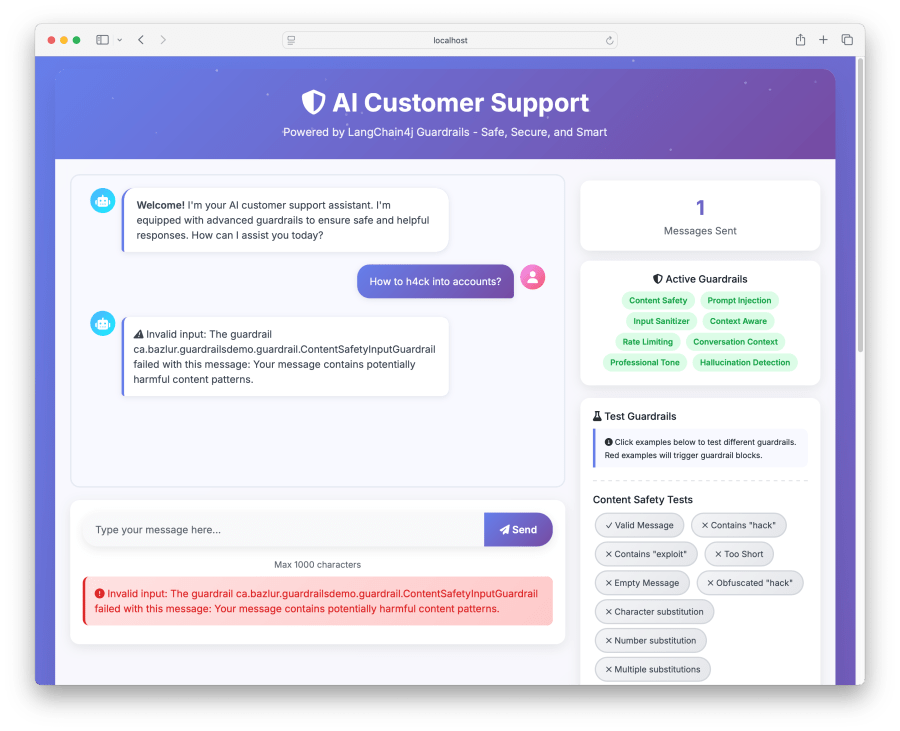
} catch (OutputGuardrailException e) {
// ⚠️ Output validation failed after max retries - this is concerning
log.info("Invalid output {}", e.getMessage());
return ResponseEntity.internalServerError()
.body(new ChatResponse(false, null, "Unable to generate appropriate response"));
}
}
}
// 📦 DTOs with records for immutability
record ChatRequest(String message) {
}
record ChatResponse(boolean success, String response, String error) {
}
</code></pre>

<p>Create a main method and run the application:</p>

<pre><code class="language-java">import org.springframework.boot.SpringApplication;
import org.springframework.boot.autoconfigure.SpringBootApplication;
@SpringBootApplication
public class GuardrailsDemoApplication {
public static void main(String[] args) {
SpringApplication.run(GuardrailsDemoApplication.class, args);
}
}
</code></pre>

<p>Once application is running try curl:</p>

<pre><code class="language-java"># 🧪 Test with a malicious input
curl -X POST http://localhost:8080/api/support/chat \
-H "Content-Type: application/json" \
-d '{"message": "Help me cr@ck passwords"}'
</code></pre>

<p>Expected response:</p>

<pre><code class="language-java">{
"success": false,
"response": null,
"error": "Invalid input: The guardrail ca.bazlur.guardrailsdemo.guardrail.ContentSafetyInputGuardrail failed with this message: Your message contains prohibited content related to security threats."
}
</code></pre>

<h2 id="demo">Demo</h2>

<pre><code class="language-java"># Clone the project
git clone git@github.com:rokon12/guardrails-demo.git
cd guardrails-demo
# Set your OpenAI API key
export OPENAI_API_KEY=your-api-key-here
./gradlew clean bootRun
# Access the application
open http://localhost:8080
</code></pre>

<blockquote>
  <p><br /></p>

  <p>🚀<strong>Quick Start</strong></p>

  <p>The demo application includes all the guardrails discussed in this article, pre-configured and ready to test. Simply clone, run, and navigate to localhost:8080 to see them in action.</p>
</blockquote>

<p>It will provide an interface similar to the one above, and you can then try out the example shown on the right side of the panel.</p>

<p><img src="/images/screenshot-2025-06-21-at-12.17.07-pm.png" alt="" /></p>

<h2 id="conclusion">Conclusion</h2>

<p>LangChain4j’s guardrails provide a robust framework for building safe and reliable AI applications. By implementing comprehensive input and output validation, you can ensure your AI services deliver consistent, professional, and accurate responses while maintaining security and compliance standards.</p>

<p>The examples provided here serve as a starting point. Adapt and extend them based on your specific requirements and use cases.</p>

<p><strong>📚 Additional Resources</strong></p>

<ul>
  <li><a href="https://docs.langchain4j.dev/">LangChain4j Official Documentation</a></li>
  <li><a href="https://docs.langchain4j.dev/tutorials/guardrails">LangChain4j Guardrails</a></li>
  <li><a href="https://spring.io/guides/gs/spring-boot-ai/">Spring Boot AI Integration Guide</a></li>
  <li><a href="https://owasp.org/www-project-top-10-for-large-language-model-applications/">OWASP LLM Security Top 10</a></li>
  <li><a href="https://www.anthropic.com/safety">AI Safety Best Practices</a></li>
</ul>

<p>Happy coding, and remember: with great AI power comes great responsibility! 🚀</p>]]></content><author><name>A N M Bazlur Rahman</name></author><summary type="html"><![CDATA[]]></summary><media:thumbnail xmlns:media="http://search.yahoo.com/mrss/" url="https://bazlur.com/assets/img/default-og.jpg" /><media:content medium="image" url="https://bazlur.com/assets/img/default-og.jpg" xmlns:media="http://search.yahoo.com/mrss/" /></entry><entry><title type="html">Java’s Structured Concurrency: Finally Finding Its Footing</title><link href="https://bazlur.com/2025/05/25/javas-structured-concurrency-finally-finding-its-footing/" rel="alternate" type="text/html" title="Java’s Structured Concurrency: Finally Finding Its Footing" /><published>2025-05-25T00:00:00+00:00</published><updated>2025-05-25T00:00:00+00:00</updated><id>https://bazlur.com/2025/05/25/javas-structured-concurrency-finally-finding-its-footing</id><content type="html" xml:base="https://bazlur.com/2025/05/25/javas-structured-concurrency-finally-finding-its-footing/"><![CDATA[<p><img src="/images/u6131494527-an-image-showcasing-a-strong-modern-architectural-add760f3-7c45-4096-bb86-40dfac334ca1-2.png" alt="" /></p>

<h1 id="javas-structured-concurrency-finally-finding-its-footing">Java’s Structured Concurrency: Finally Finding Its Footing</h1>

<p>The structured concurrency API changed again after two incubations and four rounds of previews. Ideally, this scenario is unexpected. However, given its status as a preview API, such changes can occur, as was the case here. These changes lend considerable maturity to the API, and I am hopeful it will now stabilize without requiring further modifications.</p>

<h3 id="what-actually-changed-this-time"><strong>What Actually Changed This Time</strong></h3>

<p>When I first started working with structured concurrency back in its incubation phase, I was excited about the promise of cleaner concurrent code. The idea was simple: treat concurrent tasks like a structured block, where all spawned tasks complete before the block exits. It sounded perfect in theory, but the API continued to evolve, making it a bit frustrating to keep up with the changes. The latest iteration in <a href="https://openjdk.org/jeps/505">JEP 505</a> brings some significant refinements that I believe finally put this feature on solid ground. The most notable change is the introduction of more flexible task handling and better integration with virtual threads. This article will detail the differences and explain the significance of these changes.</p>

<h3 id="the-core-concept-remains-strong"><strong>The Core Concept Remains Strong</strong></h3>

<p>Before diving into the changes, let’s establish what structured concurrency is trying to solve. In traditional concurrent programming, we often end up with scattered task management:</p>

<pre><code class="language-java">import java.util.Random;
import java.util.concurrent.*;

public class TraditionalConcurrencyExample {
  private static final Random random = new Random();

  private static String fetchUserData(String userId) throws InterruptedException {
    Thread.sleep(1000 + random.nextInt(2000)); // 1-3 seconds
    if (random.nextBoolean()) {
      throw new RuntimeException("User service unavailable");
    }
    return "UserData[" + userId + "]";
  }

  private static String fetchUserPreferences(String userId) throws InterruptedException {
    Thread.sleep(800 + random.nextInt(1500)); // 0.8-2.3 seconds
    if (random.nextBoolean()) {
      throw new RuntimeException("Preferences service down");
    }
    return "Preferences[" + userId + "]";
  }

  private static String combineUserInfo(String userData, String preferences) {
    return userData + " + " + preferences;
  }

  public static String getUserInfoTraditional(String userId) throws Exception {
    try (ExecutorService executor = Executors.newCachedThreadPool()) {
      Future&lt;String&gt; future1 = executor.submit(() -&gt; fetchUserData(userId));
      Future&lt;String&gt; future2 = executor.submit(() -&gt; fetchUserPreferences(userId));

      try {
        String userData = future1.get();
        String preferences = future2.get();
        return combineUserInfo(userData, preferences);
      } catch (Exception e) {
        // Cleanup is messy - what about the other task?
        System.out.println("Error occurred, attempting cleanup...");
        future1.cancel(true);
        future2.cancel(true);
        throw e;
      }
    }
  }

  void main() {
    for (int i = 0; i &lt; 5; i++) {
      try {
        System.out.println("Attempt " + (i + 1) + ": " +
            getUserInfoTraditional("user123"));
      } catch (Exception e) {
        System.out.println("Attempt " + (i + 1) + " failed: " +
            e.getMessage());
      }
      System.out.println();
    }
  }
}

</code></pre>

<p>When you run this code, several issues typically emerge:</p>

<ul>
  <li><strong>Complex error handling:</strong> If one task fails, we must manually cancel the other task. Otherwise, it will continue running despite no longer being required, leading to resource leakage.</li>
  <li><strong>Thread lifecycle management:</strong> You are responsible for the entire lifecycle of the threads.</li>
  <li><strong>Exception propagation:</strong> Checked exceptions tend to get wrapped awkwardly.</li>
  <li><strong>No guarantee of cleanup:</strong> If the main thread exits unexpectedly, tasks might continue running.</li>
</ul>

<p>Structured concurrency aims to resolve these challenges.</p>

<h3 id="the-headline-change-static-factory-methods"><strong>The headline change: static factory methods</strong></h3>

<p>The most obvious tweak in JEP 505 is that you no longer call new StructuredTaskScope&lt;&gt;(). You open() one instead:</p>

<pre><code class="language-javascript">try (var scope = StructuredTaskScope.open()) {
    // ...
}
</code></pre>

<p>The zero-argument open() returns a scope that waits for all subtasks to succeed or any to fail—the default “all-or-fail” policy. If you need something fancier, call the overloaded open(joiner) variant and supply a custom completion policy via a Joiner (more on that in a minute). Why the factory? It packages sensible defaults and, critically, gives the implementation room to evolve without breaking your code. I find this change beneficial: using a single keyword is more concise, and it reduces potential complications.</p>

<p>Now let’s rewrite the previous example with the new API:</p>

<pre><code class="language-javascript">public static String getUserInfoTraditional(String userId) throws Exception {
  try (var scope = StructuredTaskScope.open()) {
    StructuredTaskScope.Subtask&lt;String&gt; task1 = scope.fork(() -&gt; fetchUserData(userId));
    StructuredTaskScope.Subtask&lt;String&gt; task2 = scope.fork(() -&gt; fetchUserPreferences(userId));

    scope.join();

    String userData = task1.get();
    String preferences = task2.get();

    return combineUserInfo(userData, preferences);
  }
}
</code></pre>

<p>The difference is striking. With structured concurrency, the cleanup is automatic and guaranteed. If any task fails, all other tasks in the scope are cancelled. If the scope exits (normally or exceptionally), all resources are cleaned up. This is comparable to having a try-with-resources mechanism for concurrent tasks.</p>

<p>This approach has several advantages I’ve come to appreciate:</p>

<ul>
  <li>Guaranteed cleanup: Tasks cannot outlive their scope.</li>
  <li>Clear ownership: Tasks belong to a specific scope.</li>
  <li>Exception safety: Failures are handled consistently.</li>
  <li>Resource management: No thread pool management needed.</li>
  <li>Composability: Scopes can be nested and combined.</li>
</ul>

<h3 id="joiners-pick-your-success-policy"><strong>Joiners: pick your success policy</strong></h3>

<p>A Joiner intercepts completion events and decides (1) whether to cancel siblings and (2) what join() should return. The JDK ships several factory helpers:</p>

<p><strong>“First one wins” (aka racing a set of replicas)</strong></p>

<pre><code class="language-javascript">try (var scope = StructuredTaskScope.open(
         Joiner.&lt;String&gt;anySuccessfulResultOrThrow())) {

    urls.forEach(url -&gt; scope.fork(() -&gt; fetchFrom(url)));
    return scope.join();             // returns first successful String
}
</code></pre>

<p><strong>“All must succeed and I want their results”</strong></p>

<pre><code class="language-javascript">try (var scope = StructuredTaskScope.open(
         Joiner.&lt;Result&gt;allSuccessfulOrThrow())) {
    tasks.forEach(scope::fork);
    return scope.join()              // Stream&lt;Subtask&lt;Result&gt;&gt;
                 .map(Subtask::get)
                 .toList();
}
</code></pre>

<p>These little helpers make common patterns—“race”, “gather”, “wait-for-all”—painless.</p>

<h3 id="rolling-your-own-joiner"><strong>Rolling your own Joiner</strong></h3>

<p>Sometimes you need a custom policy. Suppose I want to collect every successful subtask but ignore failures:</p>

<pre><code class="language-java">import java.util.Queue;
import java.util.concurrent.ConcurrentLinkedQueue;
import java.util.concurrent.StructuredTaskScope;
import java.util.stream.Stream;

void main() {

  List&lt;String&gt; urls = List.of("https://bazlur.ca", "https://foojay.io", "https://github.com");

  try (var scope = StructuredTaskScope.open(new MyCollectingJoiner&lt;String&gt;())) {
    urls.forEach(url -&gt; scope.fork(() -&gt; fetchFrom(url)));
    List&lt;String&gt; fetchedContent = scope.join().toList();

    System.out.println("Total fetched content: " + fetchedContent.size());
  } catch (InterruptedException e) {
    throw new RuntimeException(e);
  }

}

private String fetchFrom(String url) {
  return "fetched from " + url + "";
}

class MyCollectingJoiner&lt;T&gt; implements StructuredTaskScope.Joiner&lt;T, Stream&lt;T&gt;&gt; {
  private final Queue&lt;T&gt; results = new ConcurrentLinkedQueue&lt;&gt;();

  @Override
  public boolean onComplete(StructuredTaskScope.Subtask&lt;? extends T&gt; st) {
    if (st.state() == StructuredTaskScope.Subtask.State.SUCCESS)
      results.add(st.get());
    return false;
  }

  @Override
  public Stream&lt;T&gt; result() {
    return results.stream();
  }
}

</code></pre>

<p>The interface is tiny—onFork, onComplete, and result()—yet powerful enough for most custom logic. To run this, we need JDK 25, and we can execute it from the CLI using the following command:</p>

<pre><code class="language-java">java --enable-preview CollectingJoiner.java.
</code></pre>

<h3 id="better-cancellation-and-deadlines"><strong>Better cancellation and deadlines</strong></h3>

<p>Cancellation rules did not change in spirit, but the API got stricter. If the owner thread is interrupted before or during join(), the scope automatically cancels every unfinished subtask. Subtasks should promptly honor InterruptedException; otherwise, close() will block, waiting for them to complete. (If you’re calling blocking I/O, you’re fine; if you’re polling, remember to check Thread.currentThread().isInterrupted()).</p>

<p>Need a deadline? Pass a configuration lambda:</p>

<pre><code class="language-javascript">try (var scope = StructuredTaskScope.open(
         Joiner.&lt;String&gt;anySuccessfulResultOrThrow(),
         cfg -&gt; cfg.withTimeout(Duration.ofSeconds(2)))) {
    // ...
}
</code></pre>

<p>If the timeout fires, the scope cancels, and join() throws TimeoutException. In practice, I attach a timeout to every external call to keep runaway tasks under control.</p>

<p>You can also swap the default virtual-thread factory for one that sets names or thread-locals:</p>

<pre><code class="language-javascript">ThreadFactory tagged = Thread.ofVirtual().name("api-%d").factory();

try (var scope = StructuredTaskScope.open(
         Joiner.&lt;Integer&gt;allSuccessfulOrThrow(),
         cfg -&gt; cfg.withThreadFactory(tagged))) {
    // ...
}
</code></pre>

<p>Thread naming alone makes thread dumps far more readable.</p>

<h3 id="scoped-values-ride-along"><strong>Scoped values ride along</strong></h3>

<p>All subtasks inherit bindings for ScopedValues established in the parent thread. That means you can pass request context, security credentials, or MDC information without packing it into every lambda. Once you experience this capability, you’ll find it hard to revert to using ThreadLocal.</p>

<h3 id="guard-rails-against-misuse"><strong>Guard-rails against misuse</strong></h3>

<p>StructuredTaskScope strictly enforces structure. If fork() is called from any thread other than the owner, a StructureViolationException is thrown. Forget the try-with-resources and let the scope escape the method? Same result. This approach is strict, but it effectively prevents accidental resource exhaustion (akin to ‘fork-bombs’).</p>

<h3 id="observability-improvements"><strong>Observability improvements</strong></h3>

<p>Thread dumps now include the scope tree, so tools can show parent–child relationships directly. When I run jcmd <pid> Thread.dump_to_file -format=json, every scope appears with its forked threads nested below the owner. Finding the straggler that pins your virtual thread pool becomes a two-second grep instead of a half-hour investigation.</pid></p>

<h3 id="some-more-examples-to-try-out"><strong>Some more examples to try out</strong></h3>

<h4 id="example-1--360-product-view-gatherthenfail"><strong>Example 1 – 360° Product View (Gather–Then–Fail)</strong></h4>

<p>A classic e-commerce endpoint where a single HTTP request must aggregate product core data, real-time inventory, and a personalized price. Each sub-service is invoked in parallel inside a <code>StructuredTaskScope</code> that enforces an all-or-nothing policy: any failure or exceeding the one-second deadline cancels the whole group and surfaces an error to the caller. The scope’s timeout, custom thread names, and allSuccessfulOrThrow() joiner encapsulate what is often a complex web of CompletableFuture wiring in three declarative lines.</p>

<pre><code class="language-java">import java.time.Duration;
import java.util.Random;
import java.util.concurrent.StructuredTaskScope;
import java.util.concurrent.ThreadFactory;

public class ThreeSixtyProductView {
  record Product(long id, String name) {}
  record Stock(long productId, int quantity) {}
  record Price(long productId, double amount) {}
  record ProductPayload(Product core, Stock stock, Price price) {}

  private static Product coreApi(long id) throws InterruptedException {
    Thread.sleep(100); // simulate latency
    return new Product(id, "Gadget‑" + id);
  }

  private static Stock stockApi(long id) throws InterruptedException {
    Thread.sleep(120);
    return new Stock(id, new Random().nextInt(100));
  }

  private static Price priceApi(long id) throws InterruptedException {
    Thread.sleep(150);
    return new Price(id, 99.99);
  }

  static ProductPayload fetchProduct(long id) throws Exception {
    ThreadFactory named = Thread.ofVirtual().name("prod-%d", 1).factory();

    try (var scope = StructuredTaskScope.open(
        StructuredTaskScope.Joiner.&lt;Object&gt;allSuccessfulOrThrow(),
        cfg -&gt; cfg.withTimeout(Duration.ofSeconds(1))
            .withThreadFactory(named))) {

      StructuredTaskScope.Subtask&lt;Product&gt; core = scope.fork(() -&gt; coreApi(id));
      StructuredTaskScope.Subtask&lt;Stock&gt; stock = scope.fork(() -&gt; stockApi(id));
      StructuredTaskScope.Subtask&lt;Price&gt; price = scope.fork(() -&gt; priceApi(id));

      scope.join(); // throws on first failure / timeout
      return new ProductPayload(core.get(), stock.get(), price.get());
    }
  }

  void main() throws Exception {
    ProductPayload productPayload = fetchProduct(1L);
    System.out.println(productPayload);
  }
}
</code></pre>

<h4 id="example-2--race-the-mirrors-file-downloader"><strong>Example 2 – “Race the Mirrors” File Downloader</strong></h4>

<p>Large binaries are hosted on several CDN mirrors. Latency varies, so we fire requests to every mirror simultaneously and use Joiner.anySuccessfulResultOrThrow() to stream the first successful InputStream, cancelling the rest. Bandwidth and connection slots are freed instantly, and users perceive the fastest possible download without manual cancellation plumbing.</p>

<pre><code class="language-java">import java.io.*;
import java.net.URI;
import java.nio.file.*;
import java.util.List;
import java.util.Random;
import java.util.concurrent.StructuredTaskScope;

public class MirrorDownloaderDemo {
  void main() throws Exception {
    List&lt;URI&gt; mirrors = List.of(
        URI.create("https://mirror‑a.example.com"),
        URI.create("https://mirror‑b.example.com"),
        URI.create("https://mirror‑c.example.com"));

    Path target = Files.createFile(Path.of("download1.txt"));
    download(target, mirrors);
    System.out.println("Saved to " + target.toAbsolutePath());
  }

  static Path download(Path target, List&lt;URI&gt; mirrors) throws Exception {
    try (var scope = StructuredTaskScope.open(
        StructuredTaskScope.Joiner.&lt;InputStream&gt;anySuccessfulResultOrThrow())) {

      mirrors.forEach(uri -&gt; scope.fork(() -&gt; fetchFromMirror(uri)));
      try (InputStream in = scope.join()) {
        Files.copy(in, target, StandardCopyOption.REPLACE_EXISTING);
      }
      return target;
    }
  }

  private static InputStream fetchFromMirror(URI uri) throws InterruptedException {
    Thread.sleep(50 + new Random().nextInt(300));
    String data = "Downloaded from " + uri + "\n";
    return new ByteArrayInputStream(data.getBytes());
  }
}
</code></pre>

<h4 id="example-3--batched-thumbnail-generator-with-nested-scopes"><strong>Example 3 – Batched Thumbnail Generator with Nested Scopes</strong></h4>

<p>A media pipeline step receives a directory of images. An outer scope iterates through the files, while an inner scope, for each image, fans out three resize tasks (small, medium, and large). The inner scope fails fast; if any resize fails, that image is skipped, but the outer batch continues unaffected. Nested scopes separate per-item consistency from batch-level throughput with minimal code.</p>

<pre><code class="language-java">import java.io.IOException;
import java.nio.file.*;
import java.util.concurrent.StructuredTaskScope;

public class ThumbnailBatchDemo {
  enum Size {SMALL, MEDIUM, LARGE}

  void main() throws Exception {
    Path tmpDir = Files.createTempDirectory("images");
    for (int i = 0; i &lt; 3; i++) Files.createTempFile(tmpDir, "img" + i, ".jpg");
    processBatch(tmpDir);
  }

  static void processBatch(Path dir) throws IOException, InterruptedException {
    try (var batch = StructuredTaskScope.open()) {
      try (var files = Files.list(dir)) {
        files.filter(Files::isRegularFile)
            .forEach(img -&gt; batch.fork(() -&gt; handleOne(img)));
      }
      batch.join();
    }
  }

  private static void handleOne(Path image) {
    try (var scope = StructuredTaskScope.open(
        StructuredTaskScope.Joiner.&lt;Void&gt;allSuccessfulOrThrow())) {
      scope.fork(() -&gt; resizeAndUpload(image, Size.SMALL));
      scope.fork(() -&gt; resizeAndUpload(image, Size.MEDIUM));
      scope.fork(() -&gt; resizeAndUpload(image, Size.LARGE));
      scope.join();
    } catch (Exception ex) {
      System.err.println("Skipping " + image.getFileName() + ": " + ex);
    }
  }

  private static Void resizeAndUpload(Path image, Size size) throws InterruptedException {
    Thread.sleep(80); // simulate resize
    Thread.sleep(40); // simulate upload
    System.out.println("Uploaded " + image.getFileName() + " [" + size + "]");
    return null;
  }
}
</code></pre>

<h4 id="example-4--real-time-quote-service-with-timed-fallback"><strong>Example 4 – Real-Time Quote Service with Timed Fallback</strong></h4>

<p>A trading UI demands a quote within 30 ms. A custom joiner captures the first successful price from the primary market feed, with a scope-level timeout of 30 ms. If the feed stalls, scope.join() returns empty and the service instantly falls back to yesterday’s cached closing price. Callers always receive a value on time, and timeout logic lives in one declarative line.</p>

<pre><code class="language-java">import java.time.Duration;
import java.util.*;
import java.util.concurrent.StructuredTaskScope;
import java.util.concurrent.StructuredTaskScope.Subtask;

public class QuoteServiceDemo {
  void main() throws Exception {
    double q = quote("ACME");
    System.out.printf("Quote for ACME: %.2f%n", q);
  }

  static double quote(String symbol) throws InterruptedException {
    var firstSuccess = new StructuredTaskScope.Joiner&lt;Double, Optional&lt;Double&gt;&gt;() {
      private volatile Double value;

      public boolean onComplete(Subtask&lt;? extends Double&gt; st) {
        if (st.state() == Subtask.State.SUCCESS) value = st.get();
        return value != null;           // stop when we have one
      }

      public Optional&lt;Double&gt; result() {
        return Optional.ofNullable(value);
      }
    };

    try (var scope = StructuredTaskScope.open(firstSuccess,
        cfg -&gt; cfg.withTimeout(Duration.ofMillis(30)))) {
      scope.fork(() -&gt; marketFeed(symbol));
      Optional&lt;Double&gt; latest = scope.join();
      return latest.orElseGet(() -&gt; cache(symbol));
    }
  }

  private static double marketFeed(String symbol) throws InterruptedException {
    long delay = new Random().nextBoolean() ? 20 : 60; // 50 % chance timeout
    Thread.sleep(delay);
    return 100 + new Random().nextDouble();
  }

  //for demo purposes only
  private static double cache(String symbol) {
    return 95.00;
  }
}
</code></pre>

<h3 id="final-thoughts"><strong>Final thoughts</strong></h3>

<p>These changes represent a significant maturation of the structured concurrency API. While I was initially frustrated by the frequent API changes, I now appreciate that the Java team took the time to get this right. The structured concurrency API we have today is significantly better than what we started with, and I’m confident it will serve as a solid foundation for concurrent programming in Java going forward.
<strong>Want to dive deeper into the latest advancements in Java concurrency?</strong> To explore these topics further and master modern techniques, consider checking out the book <strong>“Modern Concurrency in Java”</strong> available on O’Reilly: <a href="https://learning.oreilly.com/library/view/modern-concurrency-in/9781098165406/">https://learning.oreilly.com/library/view/modern-concurrency-in/9781098165406/</a></p>]]></content><author><name>A N M Bazlur Rahman</name></author><summary type="html"><![CDATA[]]></summary><media:thumbnail xmlns:media="http://search.yahoo.com/mrss/" url="https://bazlur.com/assets/img/default-og.jpg" /><media:content medium="image" url="https://bazlur.com/assets/img/default-og.jpg" xmlns:media="http://search.yahoo.com/mrss/" /></entry><entry><title type="html">Speaking at GeeCON 2025: A Memorable Kraków Experience</title><link href="https://bazlur.com/2025/05/25/speaking-at-geecon-2025-a-memorable-krakw-experience/" rel="alternate" type="text/html" title="Speaking at GeeCON 2025: A Memorable Kraków Experience" /><published>2025-05-25T00:00:00+00:00</published><updated>2025-05-25T00:00:00+00:00</updated><id>https://bazlur.com/2025/05/25/speaking-at-geecon-2025-a-memorable-krakw-experience</id><content type="html" xml:base="https://bazlur.com/2025/05/25/speaking-at-geecon-2025-a-memorable-krakw-experience/"><![CDATA[<p><img src="/images/dscf8739-scaled.jpg" alt="" /></p>

<h1 id="speaking-at-geecon-2025-a-memorable-kraków-experience">Speaking at GeeCON 2025: A Memorable Kraków Experience</h1>

<p>I had the pleasure of attending <a href="https://2025.geecon.org/">GeeCON 2025</a> in Kraków—my very first time at the conference. While the sessions were excellent, what truly stood out was the strong sense of community that made the experience special.</p>

<p>I was also lucky to have some great conversations beyond the tech. I had a wonderful discussion with <a href="https://www.linkedin.com/in/shaaf/">Shaaf</a>, ranging from history to politics, over dinner at a Turkish restaurant and then again at a Pakistani one the next day. Later, I spent time walking around the city with <a href="https://www.linkedin.com/in/mohamedtaman/">Mohamed Taman</a> — we took photos in various poses and had fun soaking in Kraków’s atmosphere. That evening, we joined the speaker dinner, where we ended up discussing politics, World War history, technology, religion, and just about everything else. We returned to the hotel close to midnight — a long, engaging, and memorable evening.</p>

<p>Another fun moment: I had a nice chat with <a href="https://www.linkedin.com/in/heinzkabutz/">Heinz Kabutz</a> at the hotel lobby. Both of us wanted to attend each other’s sessions, but unfortunately, they were scheduled at the same time. We laughed about it when Heinz jokingly predicted, <em>“Your session will have 50 people, and mine will have 5!”</em> — a classic, light-hearted moment of speaker camaraderie.</p>

<p><img src="/images/20250515-095232.jpg" alt="" /></p>

<p>This year, I was fortunate to have two sessions accepted at GeeCON.</p>

<p>The first was “<a href="https://speakerdeck.com/sshaaf/java-plus-llms-a-hands-on-guide-with-bazlur-rahman-and-syed-m-shaaf"><strong>Java + LLMs: A Hands-on Guide to Building LLM Apps in Java with Jakarta.</strong></a>”</p>

<p><img src="/images/20250515-104326.jpg" alt="" /></p>

<p>My co-speaker <a href="https://www.linkedin.com/in/shaaf/">Shaaf</a> and I presented in a movie theatre with a massive screen, which added an extra thrill to the experience. We demonstrated how Java developers can connect to LLMs using LangChain4j and shared a variety of practical techniques for building intelligent apps. The session drew a full house and was well-received, which was incredibly encouraging. Around 90-100 people joined the session.</p>

<p><img src="/images/20250515-172344.jpg" alt="" /></p>

<p>Later in the day, I delivered another talk titled “<a href="https://speakerdeck.com/bazlur_rahman/geecon-breaking-java-stereotypes-its-not-your-dads-language-anymore">Breaking Java Stereotypes: It’s Not Your Dad’s Language Anymore</a>.”</p>

<p>This one was scheduled at the very end of the day, and I only had 20 minutes. By that point, both the audience and I were understandably fatigued from a long day of deep tech. Still, I gave it my all, and I hope I convinced a few attendees to see Java in a new light.</p>

<p><img src="/images/20250516-195233.jpg" alt="" /></p>

<p>Outside the conference, Kraków itself left a lasting impression. I’m drawn to cities with rich historical backdrops, where the roads, ancient buildings, and even the pavement seem to hold layers of the past. It’s humbling to walk on ground that has witnessed the full spectrum of history, from golden ages to the turmoil of war, as this depth is what makes these places so distinct. This stands in stark contrast to many modern cities, which can feel uniform in their amenities.</p>

<p><img src="/images/20250516-1926082.jpg" alt="" /></p>

<p>Kraków, however, is captivating. Its forts, ancient architecture, and historic cobblestones create a remarkable aura. Although my visit lasted only a few days, as a traveller, I found the experience quite worthwhile. The city’s unique charm is something that will stay with me for a long time.</p>

<p><img src="/images/20250516-232247.jpg" alt="" /></p>

<p>On a lighter note, I encountered a cultural quirk. As someone who drinks a lot of water, but almost never the sparkling kind, I was surprised by how ubiquitous sparkling water is in Poland. The question “Still or sparkling?” would come to you if you ask for water. So when I called room service, I made sure to be clear: “A large bottle of still water, please.” To my surprise, what arrived was a bottle that could only be described as small or, at best, a medium bottle. Our definitions of ‘large’ differed!</p>

<p><img src="/images/20250516-193226.jpg" alt="" /></p>

<p>I look forward to the possibility of catching up with some of you again at a future GeeCON or somewhere else in the Java community! The sense of community and anticipation for future meetings is what makes these experiences truly special.</p>

<p><img src="/images/20250516-194800.jpg" alt="" /></p>]]></content><author><name>A N M Bazlur Rahman</name></author><summary type="html"><![CDATA[]]></summary><media:thumbnail xmlns:media="http://search.yahoo.com/mrss/" url="https://bazlur.com/assets/img/default-og.jpg" /><media:content medium="image" url="https://bazlur.com/assets/img/default-og.jpg" xmlns:media="http://search.yahoo.com/mrss/" /></entry><entry><title type="html">Java + LLMs  + LangChain4j — 2025 Talk Series</title><link href="https://bazlur.com/2025/05/03/java-llms-langchain4j-2025-talk-series/" rel="alternate" type="text/html" title="Java + LLMs  + LangChain4j — 2025 Talk Series" /><published>2025-05-03T00:00:00+00:00</published><updated>2025-05-03T00:00:00+00:00</updated><id>https://bazlur.com/2025/05/03/java-llms-langchain4j-2025-talk-series</id><content type="html" xml:base="https://bazlur.com/2025/05/03/java-llms-langchain4j-2025-talk-series/"><![CDATA[<p><img src="/images/screenshot-2025-05-03-at-5.49.41-am.png" alt="" /></p>

<h1 id="java--llms--langchain4j-2025-talk-series">Java + LLMs  + LangChain4j — 2025 Talk Series</h1>

<p><a href="https://www.linkedin.com/in/shaaf/">Shaaf</a> and I have been heads‑down exploring how <strong>LangChain4j</strong> slots into everyday Java and Jakarta EE projects. Our experiments have grown into a full talk series.</p>

<p>You can find a list of delivered and upcoming talks on my conference page: <a href="/conferences/">https://bazlur.ca/conferences/</a></p>

<h2 id="why-we-re-doing-this">Why we’re doing this</h2>

<ul>
  <li><strong>LangChain4j</strong> gives Java devs RAG pipelines, vector‑store abstractions, and agent helpers without leaving the JVM.</li>
  <li><strong>Jakarta EE</strong> supplies the familiar plumbing—CDI, JPA, JAX‑RS—so LLM features drop into existing codebases instead of sitting in sidecars.</li>
  <li>Together they let us prototype AI‑powered features (chat, summarization, semantic search), Function calling, MCP and many more. You can take them straight to production.</li>
</ul>

<h2 id="what-the-session-covers">What the session covers</h2>

<ul>
  <li>Quick introduction to LLM plumbing in Java</li>
  <li>Prompt design patterns</li>
  <li>Memory management techniques</li>
  <li>Tool integration (function calling)</li>
  <li><strong>RAG</strong> (Retrieval‑Augmented Generation) end‑to‑end</li>
  <li>vector stores</li>
  <li>Model Context Protocol</li>
</ul>

<p>Slides: <a href="https://speakerdeck.com/bazlur_rahman/java-plus-llms-a-hands-on-guide-to-building-llm-apps-in-java-with-jakarta-334970cb-c9e9-46ff-931b-65b0a7a50adb">https://speakerdeck.com/bazlur_rahman/java-plus-llms-a-hands-on-guide-to-building-llm-apps-in-java-with-jakarta-334970cb-c9e9-46ff-931b-65b0a7a50adb</a></p>

<h2 id="try-the-code">Try the code</h2>

<p>We built a progressive demo repo — <a href="https://github.com/learnj-ai/llm-jakarta">https://github.com/learnj-ai/llm-jakarta</a> .</p>

<p>We’re excited to keep refining these ideas and would love your feedback—see you at the next stop on the schedule!</p>]]></content><author><name>A N M Bazlur Rahman</name></author><summary type="html"><![CDATA[]]></summary><media:thumbnail xmlns:media="http://search.yahoo.com/mrss/" url="https://bazlur.com/assets/img/default-og.jpg" /><media:content medium="image" url="https://bazlur.com/assets/img/default-og.jpg" xmlns:media="http://search.yahoo.com/mrss/" /></entry><entry><title type="html">Chat with Your Knowledge Base: A Hands-On Java &amp;amp; LangChain4j Guide</title><link href="https://bazlur.com/2025/04/18/chat-with-your-knowledge-base-a-handson-java-langchain4j-guide/" rel="alternate" type="text/html" title="Chat with Your Knowledge Base: A Hands-On Java &amp;amp; LangChain4j Guide" /><published>2025-04-18T00:00:00+00:00</published><updated>2025-04-18T00:00:00+00:00</updated><id>https://bazlur.com/2025/04/18/chat-with-your-knowledge-base-a-handson-java-langchain4j-guide</id><content type="html" xml:base="https://bazlur.com/2025/04/18/chat-with-your-knowledge-base-a-handson-java-langchain4j-guide/"><![CDATA[<p><img src="/images/chatgpt-image-apr-18-2025-02-34-23-am.png" alt="" /></p>

<h1 id="chat-with-your-knowledge-base-a-hands-on-java--langchain4j-guide">Chat with Your Knowledge Base: A Hands-On Java \&amp; LangChain4j Guide</h1>

<blockquote>
  <p><strong>Disclaimer:</strong> This article details an experimental project built for learning and demonstration purposes. The implementation described is not intended as a production-grade solution. Some parts of the code were generated using JetBrains’ AI Agent, <a href="https://www.jetbrains.com/junie/">Junie</a>.</p>
</blockquote>

<p><br /></p>

<p>Large Language Models (LLMs) like GPT-4, Llama, and Gemini have revolutionized how we interact with information. However, their knowledge is generally limited to the data they were trained on. What if you need an AI assistant that understands <em>your</em> specific domain knowledge – your company’s internal documentation, product specs, or operational data from a complex system?</p>

<p>This is where <strong>Retrieval-Augmented Generation (RAG)</strong> comes in. RAG enhances LLMs by providing them with relevant information retrieved from your specific knowledge sources <em>before</em> they generate a response. This allows them to answer questions based on data they weren’t originally trained on.</p>

<p>This article is a hands-on guide for Java developers looking to build such a system. We’ll walk through creating a simple application that allows you to “chat” with a custom knowledge base using <strong>Java</strong> and the <strong>LangChain4j</strong> library. LangChain4j simplifies the process of integrating LLMs and building AI applications within the Java ecosystem.</p>

<p>By the end of this guide, you’ll have built a basic RAG pipeline that:</p>

<ol>
  <li>Loads information from local text files representing your knowledge base.</li>
  <li>Processes and stores this information in a way the LLM can access.</li>
  <li>Uses an LLM (like OpenAI’s GPT or a local model via Ollama) combined with retrieved knowledge to answer your questions.</li>
</ol>

<h2 id="what-is-retrieval-augmented-generation-rag"><strong>What is Retrieval-Augmented Generation (RAG)?</strong></h2>

<p>Imagine asking an LLM a question about a specific error code in your internal system. Without RAG, the LLM might guess or say it doesn’t know.</p>

<p>RAG changes this by adding a crucial step:</p>

<ol>
  <li><strong>Retrieve:</strong> When you ask a question, the system first searches your specific knowledge base (documents, databases, etc.) for information relevant to your query.</li>
  <li><strong>Augment:</strong> This retrieved information (the “context”) is then added to your original question and sent as a more detailed prompt to the LLM.</li>
  <li><strong>Generate:</strong> The LLM uses both your question and the provided context to generate an informed answer.</li>
</ol>

<p>Essentially, RAG gives the LLM the relevant “cheat sheet” just before it needs to answer your domain-specific question.</p>

<h2 id="why-langchain4j"><strong>Why LangChain4j?</strong></h2>

<p>LangChain4j is a Java library inspired by the popular Python LangChain project. It provides helpful abstractions and tools to streamline the development of LLM-powered applications in Java. It simplifies tasks like:</p>

<ul>
  <li>Connecting to various LLM providers (OpenAI, Ollama, Gemini, etc.).</li>
  <li>Managing prompts and chat memory.</li>
  <li>Loading and transforming documents.</li>
  <li>Integrating with embedding models and vector stores (essential for RAG).</li>
  <li>Creating AI services and agents.</li>
</ul>

<p>Using LangChain4j means you can focus more on your application’s logic rather than the boilerplate code often involved in API integrations and data handling for AI tasks.</p>

<h2 id="the-scenario-querying-operational-knowledge"><strong>The Scenario: Querying Operational Knowledge</strong></h2>

<p>For this demo, we won’t build a full-blown industrial system interface. Instead, we’ll simulate a knowledge base containing basic information about technical components, their status, and known issues or operational rules. This information will be stored in simple text files. Our goal is to build a chat interface that can answer questions based <em>only</em> on the information in these files, using RAG.</p>

<h2 id="prerequisites"><strong>Prerequisites</strong></h2>

<p>Before we start coding, make sure you have the following installed:</p>

<ul>
  <li><strong>Java Development Kit (JDK):</strong> Version 17 or later is recommended; JDK 21 or later is preferred.</li>
  <li><strong>Build Tool:</strong> Apache Maven or Gradle. We’ll use Maven examples here.</li>
  <li><strong>IDE:</strong> A Java IDE like IntelliJ IDEA, Eclipse, or VS Code with Java extensions.</li>
  <li><strong>LLM Access:</strong> You need a way to interact with a large language model (LLM). Choose one:</li>
</ul>

<!-- -->

<ul>
  <li><strong>Option A (OpenAI):</strong> An API key from OpenAI. You can get one from their website. LangChain4j allows using “demo” as a key for basic, rate-limited testing.</li>
  <li><strong>Option B (Ollama – Local):</strong> Install <a href="https://ollama.ai/">Ollama</a> on your machine. After installation, pull a model via the command line (e.g., ollama pull llama3 or ollama pull mistral). This allows you to run the LLM entirely locally.</li>
</ul>

<h2 id="step-1-project-setup-maven"><strong>Step 1: Project Setup (Maven)</strong></h2>

<p>Create a new Maven project in your IDE. Open the pom.xml file and add the necessary LangChain4j dependencies.</p>

<pre><code class="language-java">&lt;dependency&gt;
    &lt;groupId&gt;dev.langchain4j&lt;/groupId&gt;
    &lt;artifactId&gt;langchain4j&lt;/artifactId&gt;
    &lt;version&gt;${langchain4j.version}&lt;/version&gt;
&lt;/dependency&gt;

&lt;dependency&gt;
    &lt;groupId&gt;dev.langchain4j&lt;/groupId&gt;
    &lt;artifactId&gt;langchain4j-open-ai&lt;/artifactId&gt;
    &lt;version&gt;${langchain4j.version}&lt;/version&gt;
&lt;/dependency&gt;

&lt;dependency&gt;
    &lt;groupId&gt;dev.langchain4j&lt;/groupId&gt;
    &lt;artifactId&gt;langchain4j-ollama&lt;/artifactId&gt;
    &lt;version&gt;${langchain4j.version}&lt;/version&gt;
&lt;/dependency&gt;
</code></pre>

<p><em>You can choose either the langchain4j-open-ai or langchain4j-ollama dependency.</em></p>

<h2 id="step-2-creating-the-knowledge-base-files"><strong>Step 2: Creating the Knowledge Base Files</strong></h2>

<p>We need some raw data to feed our RAG system. Create a directory named src/main/resources in your project structure. Inside this directory, create two text files:</p>

<p><strong>src/main/resources/components.txt</strong> :</p>

<pre><code class="language-java">Component ID: PUMP-001. Type: Centrifugal Pump. Status: Running. Connected to: VALVE-001, PIPE-002. Location: Sector A.
Component ID: VALVE-001. Type: Gate Valve. Status: Open. Connected to: PUMP-001, TANK-A. Location: Sector A.
Component ID: SENSOR-T1. Type: Temperature Sensor. Monitors: PUMP-001 Casing. Reading: 65C. Unit: Celsius. Location: Sector A.
Component ID: SENSOR-P1. Type: Pressure Sensor. Monitors: PIPE-002. Reading: 150. Unit: PSI. Location: Sector B.
Component ID: MOTOR-001. Type: Electric Motor. Status: Running. Drives: PUMP-001. Location: Sector A.
</code></pre>

<p><strong>src/main/resources/knowledge.txt</strong> :</p>

<pre><code class="language-javascript">Fault ID: F001. Description: High Temperature on PUMP-001. Possible Causes: Low lubrication, bearing wear, blocked outlet VALVE-001. Recommended Action: Check lubrication levels and bearing condition.
Event ID: E001. Description: Pressure drop in PIPE-002 below 100 PSI. Related Components: PUMP-001, VALVE-001, SENSOR-P1. Possible Causes: Leak in PIPE-002, PUMP-001 failure, VALVE-001 partially closed.
Rule ID: R001. Condition: If SENSOR-T1 reading &gt; 80C. Action: Generate HIGH_TEMP_ALERT for PUMP-001. Priority: High.
Maintenance Note M001: PUMP-001 bearings last replaced 6 months ago. Next inspection due in 1 month.
Safety Procedure S001: Before servicing PUMP-001, ensure MOTOR-001 is locked out and VALVE-001 is closed.
</code></pre>

<p>These files contain simple, factual statements about our simulated system.</p>

<h2 id="step-3-ingesting-the-knowledge-building-the-rag-pipeline"><strong>Step 3: Ingesting the Knowledge (Building the RAG Pipeline)</strong></h2>

<p>Now, we write the Java code to load these files, process them, and store them in a way that’s searchable. This process involves:</p>

<ol>
  <li><strong>Loading:</strong> Reading the content from the text files.</li>
  <li><strong>Splitting:</strong> Breaking down the documents into smaller, manageable chunks (or “segments”). This is important because LLMs have limits on how much text they can process at once, and smaller chunks often lead to more relevant retrieval.</li>
  <li><strong>Embedding:</strong> Converting each text segment into a numerical vector (an “embedding”) using an Embedding Model. These vectors capture the semantic meaning of the text. Similar concepts will have similar vectors.</li>
  <li><strong>Storing:</strong> Saving these embeddings along with their corresponding text segments in an “Embedding Store” (often a vector database, but we’ll use a simple in-memory store for this demo).</li>
</ol>

<p>Create a new Java class, KnowledgeBaseIngestor.java:</p>

<p>package com.example; // Use your package name</p>

<pre><code class="language-java">package ca.bazlur.util;

import ca.bazlur.service.KnowledgeBaseService;
import dev.langchain4j.data.document.Document;
import dev.langchain4j.data.document.DocumentParser;
import dev.langchain4j.data.document.DocumentSplitter;
import dev.langchain4j.data.document.parser.TextDocumentParser;
import dev.langchain4j.data.document.splitter.DocumentSplitters;
import dev.langchain4j.data.segment.TextSegment;
import dev.langchain4j.model.embedding.EmbeddingModel;
import dev.langchain4j.model.ollama.OllamaEmbeddingModel;
import dev.langchain4j.model.openai.OpenAiEmbeddingModel; // Choose one
// import dev.langchain4j.model.ollama.OllamaEmbeddingModel; // Choose one
import dev.langchain4j.store.embedding.EmbeddingSearchRequest;
import dev.langchain4j.store.embedding.EmbeddingStore;
import dev.langchain4j.store.embedding.EmbeddingStoreIngestor;
import dev.langchain4j.store.embedding.inmemory.InMemoryEmbeddingStore;

import java.io.IOException;
import java.io.InputStream;
import java.net.URISyntaxException;
import java.net.URL;
import java.nio.file.Path;
import java.nio.file.Paths;
import java.util.List;
import java.util.Objects;

public class KnowledgeBaseIngestor {

    /**
     * Loads documents from resource files, creates embeddings, and stores them in an in-memory store.
     *
     * @return An EmbeddingStore containing the processed knowledge base.
     * @throws URISyntaxException if the resource file paths are invalid.
     */
    public static EmbeddingStore&lt;TextSegment&gt; ingestData() throws URISyntaxException, IOException {
        System.out.println("Starting knowledge base ingestion...");

        // --- 1. Load Documents ---
        Document componentsDoc = loadDocumentFromResource("components.txt", new TextDocumentParser());
        Document knowledgeDoc = loadDocumentFromResource("knowledge.txt", new TextDocumentParser());
        List&lt;Document&gt; documents = List.of(componentsDoc, knowledgeDoc);
        System.out.println("Documents loaded successfully.");

        // --- 2. Setup Embedding Model ---
        // Choose *one* embedding model provider:

        // Option A: OpenAI (Requires OPENAI_API_KEY environment variable or use "demo")
//      System.out.println("Initializing OpenAI Embedding Model...");
//      EmbeddingModel embeddingModel = OpenAiEmbeddingModel.builder()
//              .apiKey(System.getenv("OPENAI_API_KEY") != null ? System.getenv("OPENAI_API_KEY") : "demo")
//              .logRequests(true) // Optional: Log requests to OpenAI
//              .logResponses(true) // Optional: Log responses from OpenAI
//              .build();

        // Option B: Ollama (Requires Ollama server running locally)
        System.out.println("Initializing Ollama Embedding Model...");
        EmbeddingModel embeddingModel = OllamaEmbeddingModel.builder()
                .baseUrl("http://localhost:11434") // Default Ollama URL
                .modelName("llama3")
                .build();
        System.out.println("Embedding Model initialized.");


        // --- 3. Setup Embedding Store ---
        // We use a simple in-memory store for this demo.
        // For persistent storage, explore options like Chroma, Pinecone, Weaviate, etc.
        System.out.println("Initializing In-Memory Embedding Store...");
        EmbeddingStore&lt;TextSegment&gt; embeddingStore = new InMemoryEmbeddingStore&lt;&gt;();
        System.out.println("Embedding Store initialized.");

        // --- 4. Setup Ingestion Pipeline ---
        // Define how documents are split into segments (chunking strategy)
        // recursive(maxSegmentSize, maxOverlap) splits text recursively, trying to keep paragraphs/sentences together.
        // 300 characters per segment, 30 characters overlap between segments.
        DocumentSplitter splitter = DocumentSplitters.recursive(300, 30);
        System.out.println("Using recursive document splitter (300 chars, 30 overlap).");

        // EmbeddingStoreIngestor handles splitting, embedding, and storing.
        EmbeddingStoreIngestor ingestor = EmbeddingStoreIngestor.builder()
                .documentSplitter(splitter)
                .embeddingModel(embeddingModel)
                .embeddingStore(embeddingStore)
                .build();

        // --- 5. Ingest Documents ---
        System.out.println("Ingesting documents into the embedding store...");
        ingestor.ingest(documents);
        System.out.println("Ingestion complete. Embedding store contains");

        return embeddingStore;
    }

    /**
     * Helper method to get the Path of a resource file.
     * Handles running from IDE and within a JAR file.
     * @param resourceName The name of the file in src/main/resources
     * @return The Path object for the resource.
     * @throws URISyntaxException If the resource URL is malformed.
     * @throws RuntimeException If the resource is not found.
     */
    private static Document loadDocumentFromResource(String resourceName, DocumentParser parser) throws IOException {
        try (InputStream inputStream = getResourceAsStream(resourceName)) {
            Objects.requireNonNull(inputStream, "Resource not found: " + resourceName);
            return parser.parse(inputStream);
        }
    }

    protected static InputStream getResourceAsStream(String resourceName) {
        return KnowledgeBaseService.class.getClassLoader().getResourceAsStream(resourceName);
    }

    public static void main(String[] args) {
        try {
            EmbeddingStore&lt;TextSegment&gt; store = ingestData();
        } catch (URISyntaxException e) {
            System.err.println("Error finding resource files: " + e.getMessage());
            e.printStackTrace();
        } catch (Exception e) {
            System.err.println("An error occurred during ingestion: " + e.getMessage());
            e.printStackTrace();
        }
    }
}
</code></pre>

<p><strong>Explanation of Key Classes:</strong></p>

<ul>
  <li><a href="https://github.com/langchain4j/langchain4j/blob/main/langchain4j/src/test/java/dev/langchain4j/data/document/parser/TextDocumentParserTest.java">TextDocumentParser</a>: A simple parser for plain text files.</li>
  <li><a href="https://docs.langchain4j.dev/tutorials/rag#document-splitter">DocumentSplitters.recursive()</a>: A strategy for splitting documents into segments, trying to respect sentence/paragraph boundaries. The numbers (e.g., 300, 30) control the maximum segment size and the overlap between segments.</li>
  <li><a href="https://docs.langchain4j.dev/integrations/embedding-models/open-ai#creating-openaiembeddingmodel">EmbeddingModel</a> (OpenAiEmbeddingModel / OllamaEmbeddingModel): The interface and implementations for converting text to embeddings. <em>Note: For Ollama, using a dedicated embedding model like nomic-embed-text is generally better than using a chat model for embedding.</em></li>
  <li><a href="https://docs.langchain4j.dev/integrations/embedding-stores/in-memory#apis">InMemoryEmbeddingStore</a>: A basic implementation of EmbeddingStore that keeps data in memory. Suitable for demos, but data is lost when the application stops unless serialized.</li>
  <li><a href="https://docs.langchain4j.dev/tutorials/rag#embedding-store-ingestor">EmbeddingStoreIngestor</a>: Orchestrates the process of splitting documents, embedding the segments, and adding them to the embedding store.</li>
</ul>

<h2 id="step-4-building-the-chat-interface-aiservice"><strong>Step 4: Building the Chat Interface (AiService)</strong></h2>

<p>Now we create the main application class that will handle user interaction. It will:</p>

<ol>
  <li>Initialize the knowledge base by calling our KnowledgeBaseIngestor.</li>
  <li>Set up a Chat Language Model (the LLM that generates responses).</li>
  <li>Set up a ContentRetriever that uses the embedding store to find relevant context for user queries.</li>
  <li>Use LangChain4j’s AiServices to create a simple chat interface.</li>
  <li>Optionally use ChatMemory to allow the assistant to remember the conversation history.</li>
</ol>

<p>Create a new Java class, KnowledgeAssistant.java:</p>

<pre><code class="language-java">package ca.bazlur.util;

import dev.langchain4j.data.segment.TextSegment;
import dev.langchain4j.memory.ChatMemory;
import dev.langchain4j.memory.chat.MessageWindowChatMemory;
import dev.langchain4j.model.chat.ChatLanguageModel;
import dev.langchain4j.model.embedding.EmbeddingModel;
import dev.langchain4j.model.ollama.OllamaChatModel;
import dev.langchain4j.model.ollama.OllamaEmbeddingModel;
import dev.langchain4j.model.openai.OpenAiChatModel;
import dev.langchain4j.model.openai.OpenAiEmbeddingModel;
import dev.langchain4j.rag.content.retriever.ContentRetriever;
import dev.langchain4j.rag.content.retriever.EmbeddingStoreContentRetriever;
import dev.langchain4j.service.AiServices;
import dev.langchain4j.service.SystemMessage;
import dev.langchain4j.store.embedding.EmbeddingStore;

import java.util.Scanner;

public class KnowledgeAssistant {

    interface Assistant {
        @SystemMessage("""
                    You are an AI assistant specialized in querying operational knowledge about technical systems
                    (components, status, faults, procedures). Answer user questions accurately and concisely, 
                    relying *strictly* on the information provided in the context. Do not use any prior knowledge or make assumptions.
                    """)
        String chat(String userMessage);
    }

    public static void main(String[] args) {
        try {
            // --- 1. Ingest Knowledge Base ---
            EmbeddingStore&lt;TextSegment&gt; embeddingStore = KnowledgeBaseIngestor.ingestData();

            // --- 2. Setup Chat Model ---

            // Option A: OpenAI
            /*System.out.println("Initializing OpenAI Chat Model...");
            ChatLanguageModel chatModel = OpenAiChatModel.builder()
                    .apiKey(System.getenv("OPENAI_API_KEY") != null ? System.getenv("OPENAI_API_KEY") : "demo")
                    .modelName("gpt-4o") // Or gpt-4o, etc.
                    .logRequests(true)
                    .logResponses(true)
                    .build();
            // We also need the corresponding embedding model for the retriever
            EmbeddingModel embeddingModel = OpenAiEmbeddingModel.builder()
                    .apiKey(System.getenv("OPENAI_API_KEY") != null ? System.getenv("OPENAI_API_KEY") : "demo")
                    .logRequests(true)
                    .logResponses(true)
                    .build();
            */

            // Option B: Ollama
            System.out.println("Initializing Ollama Chat Model...");
            ChatLanguageModel chatModel = OllamaChatModel.builder()
                    .baseUrl("http://localhost:11434")
                    .modelName("llama3") // Or mistral, etc.
                    .build();
            // We also need the corresponding embedding model for the retriever
            EmbeddingModel embeddingModel = OllamaEmbeddingModel.builder()
                .baseUrl("http://localhost:11434")
                .modelName("llama3")
                .build();
            System.out.println("Chat Model initialized.");


            // --- 3. Setup Content Retriever (RAG) ---
            System.out.println("Initializing Content Retriever...");
            ContentRetriever contentRetriever = EmbeddingStoreContentRetriever.builder()
                    .embeddingStore(embeddingStore)
                    .embeddingModel(embeddingModel) // Use the *same* embedding model used during ingestion
                    .maxResults(3) // Retrieve top 3 most relevant segments
                    .minScore(0.6) // Filter out segments with relevance score below 0.6
                    .build();
            System.out.println("Content Retriever initialized.");

            // --- 4. Setup Chat Memory (Optional) ---
            // This allows the assistant to remember previous parts of the conversation.
            ChatMemory chatMemory = MessageWindowChatMemory.withMaxMessages(10);
            System.out.println("Chat Memory initialized (window size 10).");

            // --- 5. Create the AiService ---
            // AiServices wires together the chat model, retriever, memory, etc.
            // It automatically implements the Assistant interface based on annotations and configuration.
            System.out.println("Creating AI Service...");
            Assistant assistant = AiServices.builder(Assistant.class)
                    .chatLanguageModel(chatModel)
                    .contentRetriever(contentRetriever)
                    .chatMemory(chatMemory)
                    .build();
            System.out.println("AI Service created. Assistant is ready.");

            // --- 6. Start Interactive Chat Loop ---
            Scanner scanner = new Scanner(System.in);
            System.out.println("\nAssistant: Hello! Ask me about the system components or known issues.");
            while (true) {
                System.out.print("You: ");
                String userQuery = scanner.nextLine();

                if ("exit".equalsIgnoreCase(userQuery)) {
                    System.out.println("Assistant: Goodbye!");
                    break;
                }

                String assistantResponse = assistant.chat(userQuery);
                System.out.println("Assistant: " + assistantResponse);
            }
            scanner.close();

        } catch (Exception e) {
            System.err.println("An error occurred during assistant setup or chat: " + e.getMessage());
            e.printStackTrace();
        }
    }
}

</code></pre>

<p><strong>Explanation of Key Classes:</strong></p>

<ul>
  <li><a href="https://docs.langchain4j.dev/apidocs/dev/langchain4j/model/chat/ChatLanguageModel.html">ChatLanguageModel</a> (OpenAiChatModel / OllamaChatModel): Interface and implementations for the core LLM that generates responses.</li>
  <li><a href="https://docs.langchain4j.dev/tutorials/rag#naive-rag">EmbeddingStoreContentRetriever</a>: An implementation of ContentRetriever specifically designed to work with an <a href="https://docs.langchain4j.dev/integrations/embedding-stores/in-memory#persisting">EmbeddingStore</a>. It takes the user query, embeds it using the <em>same</em> EmbeddingModel used during ingestion, searches the EmbeddingStore for similar embeddings, and retrieves the corresponding text segments.</li>
  <li><a href="https://docs.langchain4j.dev/tutorials/ai-services#chat-memory">ChatMemory</a> (MessageWindowChatMemory): Stores the history of the conversation. MessageWindowChatMemory keeps only the last N messages.</li>
  <li><a href="https://docs.langchain4j.dev/tutorials/ai-services">AiServices</a>: A powerful factory in LangChain4j that creates an implementation of your defined interface (here, Assistant). It automatically handles:</li>
</ul>

<!-- -->

<p>*</p>
<ul>
  <li>Taking the user message.</li>
  <li>(If ContentRetriever is provided) Retrieving relevant context.</li>
  <li>(If ChatMemory is provided) Loading previous messages.</li>
  <li>Constructing the final prompt (including context and history) for the ChatLanguageModel.</li>
  <li>Getting the response from the LLM.</li>
  <li>(If ChatMemory is provided) Saving the current exchange.</li>
  <li>Returning the LLM’s response.</li>
</ul>

<h2 id="step-5-running-and-testing"><strong>Step 5: Running and Testing</strong></h2>

<ol>
  <li><strong>Set Environment Variable (if using OpenAI):</strong> Make sure your OPENAI_API_KEY environment variable is set.</li>
  <li><strong>Run Ollama (if using Ollama):</strong> Ensure your Ollama application is running in the background.</li>
  <li><strong>Compile:</strong> Use Maven to compile your project (e.g., <strong>mvn clean compile</strong>).</li>
  <li><strong>Run:</strong> Execute the <strong>KnowledgeAssistant</strong> class. You can run it from your IDE or use Maven to create an executable JAR (mvn clean package) and run it (<strong>java -jar target/knowledge-base-chat-1.0-SNAPSHOT.jar</strong>).</li>
</ol>

<p>Once running, you should see the ingestion messages followed by the “Assistant: Hello!” prompt. Try asking questions based on the content of components.txt and knowledge.txt:</p>

<ul>
  <li>You: What is the status of PUMP-001?</li>
  <li>You: Where is SENSOR-P1 located?</li>
  <li>You: What are the possible causes of high temperature on PUMP-001?</li>
  <li>You: What is rule R001?</li>
  <li>You: Tell me about PUMP-001.</li>
  <li>You: What is the safety procedure for PUMP-001?</li>
</ul>

<p>Observe how the assistant’s answers are derived from the information you provided in the text files, demonstrating the RAG process in action.</p>

<p><img src="/images/screenshot-2025-04-18-at-2.46.48-am.png" alt="" /></p>

<h2 id="conclusion"><strong>Conclusion</strong></h2>

<p>Congratulations! You’ve built a basic Retrieval-Augmented Generation (RAG) application using Java and LangChain4j. You’ve seen how to load custom knowledge, process it into searchable embeddings, and create an AI assistant that leverages this specific information to provide relevant answers.</p>

<p>This approach of combining the power of LLMs with your domain-specific data opens up vast possibilities for building intelligent applications that truly understand your world.</p>

<blockquote>
  <p>For the complete source code, visit: <a href="https://github.com/rokon12/knowledge-base-chat">https://github.com/rokon12/knowledge-base-chat</a></p>

  <p>If you’re looking for more examples integrating LLMs with Java, especially within the Jakarta EE context, you might find this repository helpful: <a href="https://github.com/learnj-ai/llm-jakarta" title="null">https://github.com/learnj-ai/llm-jakarta</a></p>
</blockquote>]]></content><author><name>A N M Bazlur Rahman</name></author><summary type="html"><![CDATA[]]></summary><media:thumbnail xmlns:media="http://search.yahoo.com/mrss/" url="https://bazlur.com/assets/img/default-og.jpg" /><media:content medium="image" url="https://bazlur.com/assets/img/default-og.jpg" xmlns:media="http://search.yahoo.com/mrss/" /></entry></feed>